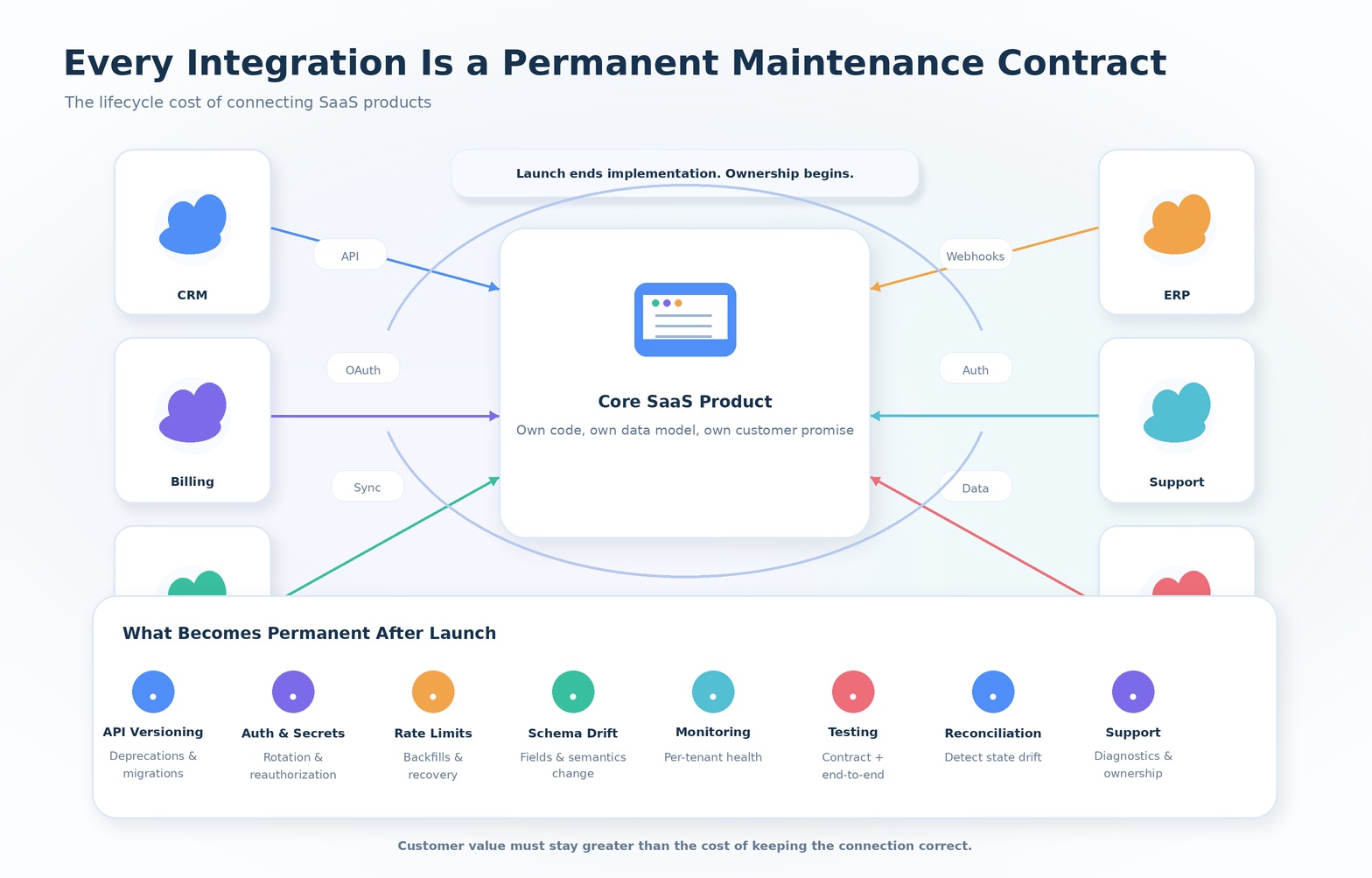
The Lifecycle Cost of Connecting SaaS Products
A roadmap is a good place to see how integrations get misrepresented. Somewhere on most SaaS roadmaps there is a short list that looks something like this:
| Integration | Status |
|---|---|
| Salesforce | Shipped |
| HubSpot | Shipped |
| Slack | Shipped |
| NetSuite | In progress |
| Microsoft Teams | Planned |
Each row is accurate as a description of engineering output. A team built a connection to an external system, tested it, and released it. "Shipped" is the correct word for that milestone. What the roadmap does not show is that the moment each of those rows turned green, the company took on a standing obligation that has nothing to do with the sprint that produced it.
That obligation is to keep interpreting another company's system correctly, on an ongoing basis, for as long as customers rely on the connection. Salesforce will change its API surface on its own schedule. HubSpot will add fields, deprecate endpoints, and adjust its OAuth requirements on its own schedule. NetSuite customers will configure the product in ways nobody on the integration team anticipated. None of this shows up as a line item on the roadmap, because the roadmap is a planning tool for development work, not an accounting tool for ownership.
This article is about the difference between those two things: feature completion, the moment a working implementation exists, and integration ownership, the ongoing responsibility to keep that connection correct while both systems continue changing independently of each other. Feature completion is a project. Integration ownership is a condition the company now lives in.
The distinction matters because the two have almost nothing in common as engineering problems, yet they are usually funded, staffed, and measured as though they were the same activity. Initial development gets a project plan, a launch date, and a demo. Ownership gets whatever attention is left over after the next integration is scoped, which in practice is often very little until something breaks in production.
None of this is an argument against building integrations. A well-chosen integration can be one of the highest-leverage things a SaaS product does: it can unlock enterprise deals that are otherwise unwinnable, it can make a product sticky in ways that pure feature quality cannot, and it can put a product in front of customers who would never have found it through direct marketing. The argument here is narrower and, for most engineering organizations, more useful: the return on an integration has to be measured against the cost of keeping it correct for its entire operating life, not against the cost of building the first working version. Companies that only budget for the first version are budgeting for a fraction of what the integration will actually cost them.
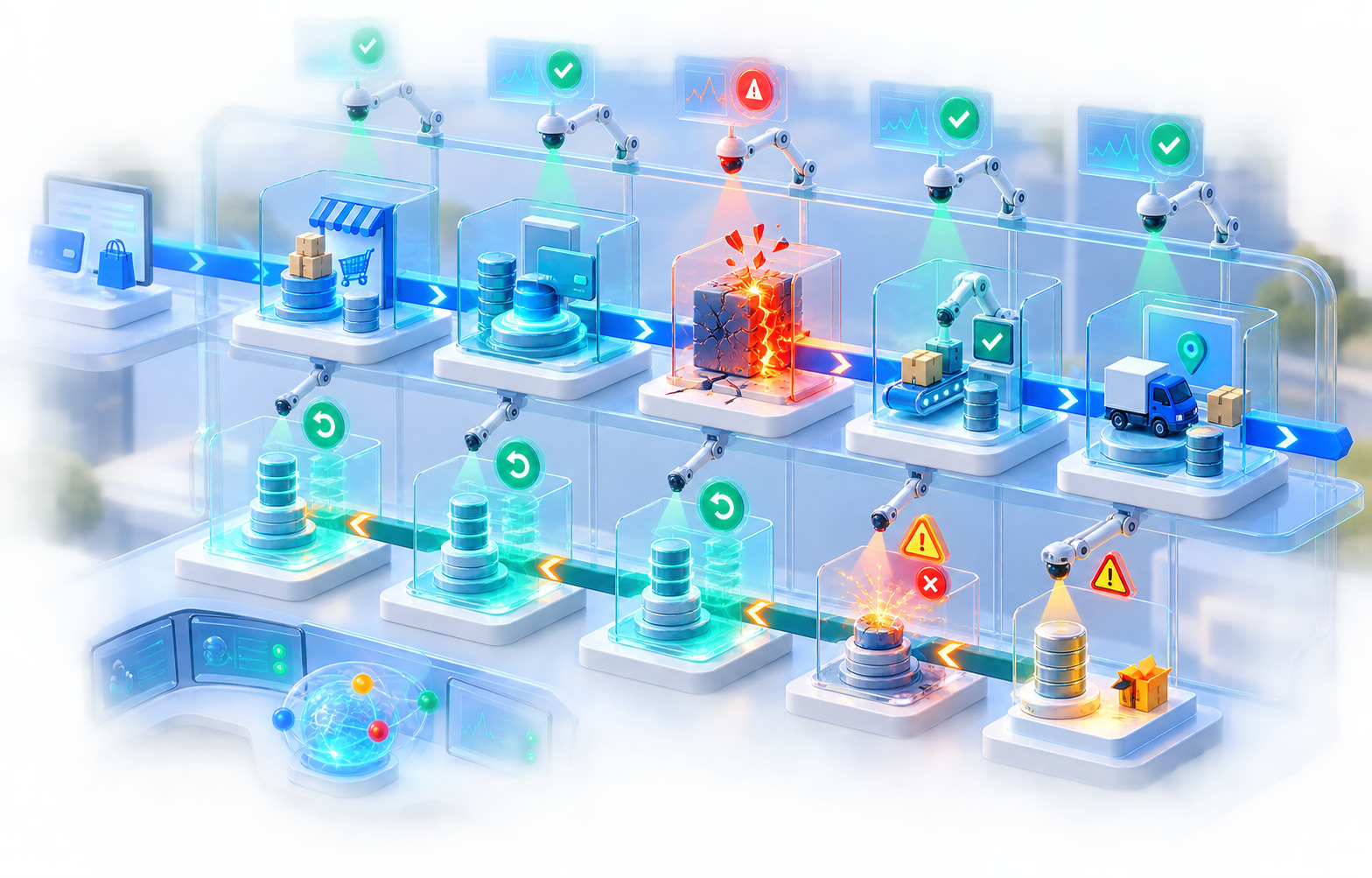
[Figure: Product roadmap view of integrations vs. the operational integration portfolio those same rows become in production]
Shipping an Integration Creates a New Production Dependency
Before an integration exists, a SaaS application controls most of its own runtime behavior. Its availability depends on its own infrastructure, its own deployments, its own database, and its own code. When something breaks, the company's own commit history is usually the first and most productive place to look.
After an integration ships, some fraction of customer-visible behavior now depends on a system that a different company operates, secures, versions, and changes on its own timeline. This is not a controversial architectural choice — modern SaaS is built almost entirely out of dependencies, internal and external, and very few products of any complexity avoid this. The point is not that dependencies are bad. The point is that dependency ownership becomes part of the product the day the dependency goes into production, whether or not anyone updates the org chart to reflect it.
Concretely, an integration usually introduces dependency on:
- the availability of the external API
- the correctness of the authentication method in use
- the schema the provider currently exposes
- the permissions and scopes attached to the customer's account
- the rate limits currently enforced for that account or API tier
- the quality and consistency of the data the provider returns
- the reliability of webhook delivery, where webhooks are used
- the API version the integration was built against
- the configuration the customer has applied on the provider's side
Each of these can change independently of anything the SaaS company does. None of them require the SaaS company to deploy anything for customer-visible behavior to shift. That is the operational fact this article keeps returning to: an integration enlarges the set of events that are capable of breaking a customer's workflow, and most of those events originate outside the systems your team can deploy, roll back, or directly observe.
Your Product Can Break Without Your Code Changing
This is worth stating plainly because it violates the instinct most engineering organizations have built around debugging. The standard diagnostic assumption is: if nothing changed, nothing should be broken. Deployment history is clean, the database is healthy, application servers report normal load, your own API responds correctly, and no internal incident has been declared. In an integration-heavy product, all of that can be true while a customer's Salesforce sync has been silently failing for six hours.
The causes are almost always external:
- an endpoint the integration depends on was deprecated or altered
- the provider changed a configuration default that affects API behavior
- a certificate used for a signed integration expired or rotated
- a customer's administrator revoked or narrowed a permission
- a token was revoked, expired, or invalidated on the provider's side
- a new validation rule on the provider rejects a payload that used to be accepted
- a rate limit was lowered, or the account moved to a different tier
- the schema gained a field, lost a field, or changed an enum's accepted values
None of these appear in a deploy log. None of them trigger a standard "something changed" alert unless the integration was specifically instrumented to detect them. This is why integration-heavy products need monitoring that assumes correctness can degrade without any internal change — a category of failure that most application monitoring is not built to catch, because most application monitoring is built around the assumption that the company's own deployments are the primary source of state change.
API Versioning Becomes Your Release Schedule Too
Every provider handles API evolution differently, and it would be inaccurate to describe a single universal pattern. Some providers offer versioned endpoints with long support windows. Some use dated versions and retire older ones on a rolling basis. Some maintain a single, continuously evolving API with additive changes and rare breaking changes; others force periodic migrations as a condition of continued access. What is consistent across all of these models is this: when a provider announces that a version your integration depends on will be retired, your team now has a deadline that was set by someone else's release calendar, regardless of whether the integration itself has received any active development in years.
This deadline does not respect your own release priorities. It arrives with its own timeline, and ignoring it does not make it optional — it makes the integration stop working on the date the provider chose. Handling this well requires:
- A version inventory. Someone needs to know, for every live integration, which API version is currently in use and what that provider's stated support timeline looks like.
- Migration planning that starts before the deadline is close. Waiting until the deprecation date is visible on a calendar reminder compresses a project that usually benefits from a testing window into a scramble.
- Backward and forward testing. Old and new versions frequently coexist during a migration window, and both need to be exercised against representative customer configurations, not just the happy path used in the original build.
- A customer rollout plan. If any part of the migration is customer-visible — new scopes, a reconnect requirement, a UI change — customers need a communication plan, not a surprise.
None of this is a one-time skill. It recurs every time a provider ages out an API version, which is a recurring event for any integration with a meaningful lifespan.
Deprecation Is an External Deadline, Not a Backlog Item
Deprecation shows up in several forms beyond API versions: individual endpoints get retired, specific fields get removed, authentication methods get sunset, SDKs stop receiving updates, and older webhook payload formats get discontinued in favor of newer ones. Each of these generates a notice — an email, a changelog entry, a developer-portal banner — and each of those notices needs somewhere to land.
This is where deprecation handling most often fails, and the failure is organizational rather than technical. The notice goes to whichever email address was used to register the developer account. If that address belongs to someone who has since left the company, or belongs to a shared inbox nobody monitors, the notice is read by no one until the deprecated capability actually stops working in production. A deprecation announcement should never functionally serve as the company's only monitoring system for that dependency. Answering four questions in advance avoids this:
- Who receives provider deprecation notices, and is that inbox actually monitored?
- Who determines which customers, if any, are using the affected capability?
- Who opens the migration ticket, and does it get prioritized against feature work or treated as optional?
- Who validates that the migration actually resolved the issue for affected customers, not just in a sandbox?
Schema Drift
API contracts are rarely static for long. Fields get added, fields get removed, fields get renamed, previously required fields become nullable, enumerations expand, nested structures get restructured, and validation rules tighten or loosen. Some of these changes are additive and harmless to existing integrations. Others are breaking even when the provider does not classify them that way.
A simple, common example: an integration is built to handle a status field with two known values, active and inactive. The provider later introduces a third value, pending_review, because their own product added a new business state. Nothing about the API contract technically broke — the field still returns a string, the endpoint still responds with 200, authentication still works. But if the integration's logic assumes only two values are possible, records in the new state may be silently mishandled, dropped, or misclassified, and no error will be raised anywhere in the pipeline.
This is the argument for designing integration consumers with some tolerance for the unknown — treating unrecognized enum values as a signal to flag and route for review, rather than crashing, and also rather than silently defaulting to potentially wrong behavior. There is a real tradeoff here between strictness, which catches unexpected input early but can turn a benign provider addition into a production incident, and tolerance, which avoids hard failures but can let meaningfully wrong data through unnoticed. Neither default is correct for every field; the right choice depends on how consequential a wrong interpretation would be for that specific field.
The Meaning of Data Can Change Without the Shape Changing
Schema drift is a shape problem: the fields, types, and structure of a payload change. A quieter and harder problem is semantic drift: the shape stays exactly the same while what the data means shifts underneath it.
A field like amount, customer_type, stage, owner, or priority can remain syntactically identical — same field name, same type, same set of allowed values — while the provider's own product changes what that field represents in practice. A CRM might redefine what counts as a "closed" opportunity stage after a product update to their own pipeline logic. A billing provider might change what amount includes — whether it is pre-tax or post-tax, whether it includes prorated adjustments — without touching the field name or its data type at all.
This is the reason contract tests, however well built, cannot catch every important change. A contract test verifies structure: the field exists, it has the expected type, it falls within an expected set of values. It cannot verify that the business meaning behind that structurally valid value is still the same meaning the integration was built to interpret. Catching semantic drift requires actively monitoring provider documentation and release notes, and it requires someone on the integration team who understands the domain well enough to notice when a definition has quietly moved, not just when a field has disappeared.
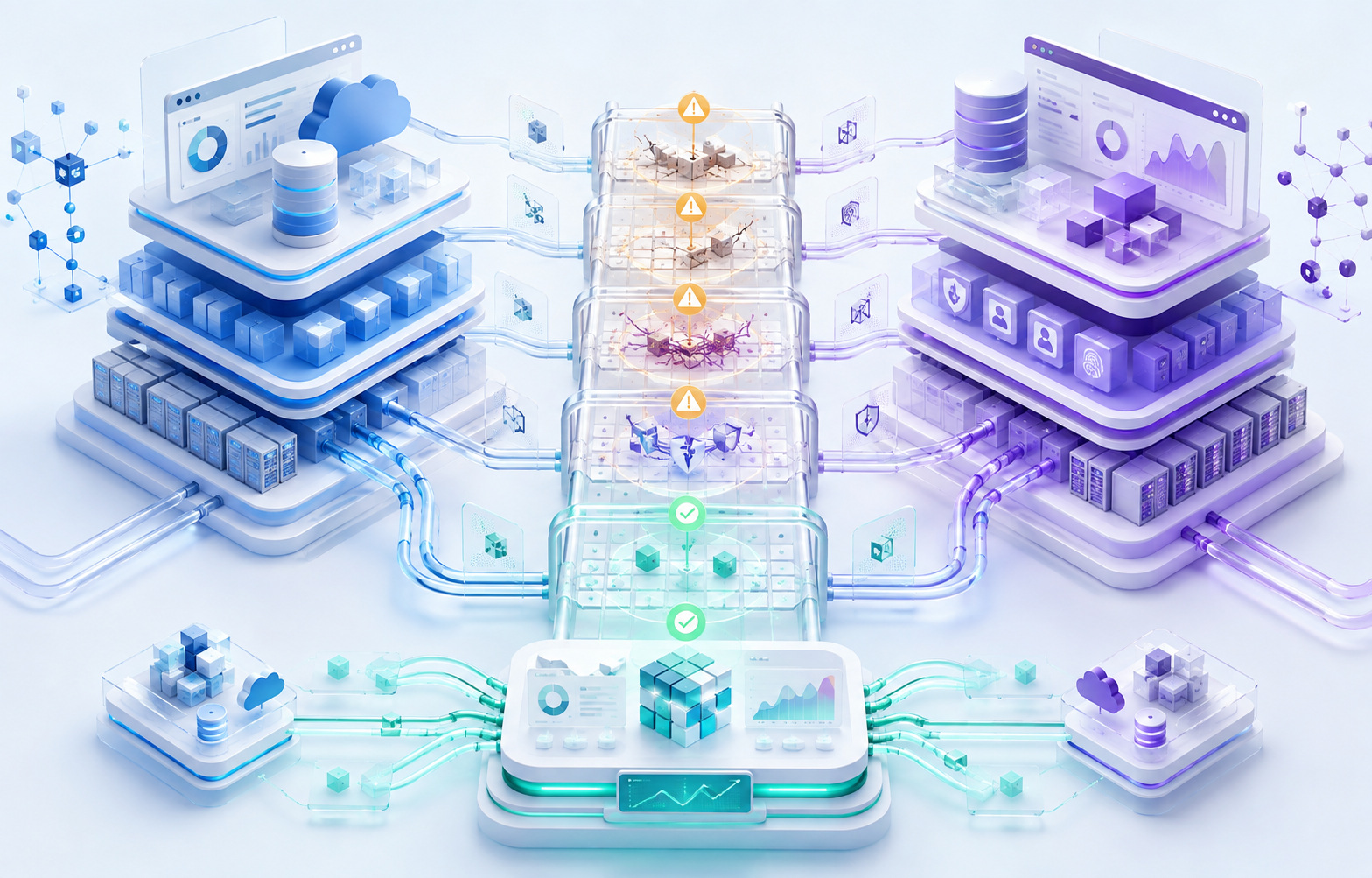
[Figure: An external API change propagating through schema, semantics, and customer-visible behavior]
Authentication Never Stays a One-Time Implementation
Authentication is frequently treated as a setup step: get an API key, implement an OAuth flow, store a token, done. In practice, every authentication method a SaaS integration uses — API keys, OAuth 2.0 authorization code flows, refresh tokens, service accounts, private apps, signed requests using certificates — comes with an ongoing lifecycle, not a single implementation event.
That lifecycle includes credential creation, secure storage, rotation on a schedule or on demand, revocation when access should end, handling of expiry, adaptation when required scopes change, and reauthorization when a provider or a customer forces it. None of this is unique to any one authentication method, and none of it is optional once real customers are connected through it. The specifics differ by method — a long-lived API key has a different maintenance profile than a short-lived OAuth access token backed by a refresh token — but every method requires ongoing attention from someone, and that someone needs to be identified before the integration ships, not after the first expired credential generates a support ticket.
OAuth Consent Is Product State, Not a One-Time Event
A customer authorizing an integration is not a permanent fact once granted. Authorizations can end in ways the SaaS product does not control and, unless specifically built to detect, will not notice:
- the customer's own user who granted access revokes it
- a customer administrator removes the connected application entirely
- the provider requires a scope the integration does not currently have, making existing access insufficient
- a refresh token becomes invalid — through expiry, provider-side security action, or account changes
- the provider requires reconsent after a policy or terms change
The failure mode that matters most here is a UI one: if the SaaS product's own interface still shows "Connected" after any of these events, the customer has no reason to suspect anything is wrong until a sync silently stops producing results. Integration status displayed to a customer should reflect verified, current authorization state — ideally confirmed against the provider, not merely inferred from the presence of a stored configuration record. A configuration row existing in a database is not the same fact as a token still being valid.
Scopes Change, and Reopening Authorization Is a Migration
Version one of an integration typically requests the minimum scope needed for its first feature — read access to contacts, for example. A later product decision — writing back a field, subscribing to a new object type, supporting a new workflow — often requires a broader scope than what existing customers originally granted.
This means a single new feature can force reauthorization across the installed base, not just for new customers going forward. That reopens a set of questions that a purely technical scope change does not answer on its own: what happens to existing functionality for customers who have not yet reauthorized — does it continue working under the old scope, or degrade? How is the need to reauthorize communicated, and by whom? Is there a grace period, or does functionality stop immediately once the provider enforces the new requirement? None of these are implementation details; they are product and support decisions that a scope change forces into existence, often for a feature that seemed small in isolation.
Credential Rotation
API secrets, OAuth client secrets, signing certificates for signed requests, and webhook signing secrets all eventually need to rotate — sometimes on a schedule the SaaS company controls, sometimes because a provider forces it, and sometimes in response to a security event. Rotating without downtime generally depends on the ability to run two valid credentials simultaneously for a transition window, which not every provider or every credential type supports. Where overlapping validity is not available, rotation has to be planned as a controlled cutover rather than assumed to be transparent. Either way, credential rotation is not a one-time setup task; it is a recurring operational event that needs a documented, tested procedure well before the first rotation is actually required.
| Authentication Lifecycle Stage | Ongoing Responsibility |
|---|---|
| Creation | Generating and securely storing initial credentials |
| Storage | Encrypting secrets at rest, restricting access, avoiding accidental exposure in logs |
| Rotation | Executing scheduled or forced rotation without breaking active connections |
| Scope changes | Coordinating reauthorization across existing customers when access requirements expand |
| Revocation | Detecting and responding when a customer or provider revokes access |
| Expiry | Refreshing or renewing tokens before they lapse, and handling the case where renewal fails |
| Reauthorization | Prompting customers clearly when a provider or policy change requires it |
Rate Limits Become Product Constraints
Rate limits are not solely an infrastructure concern; they shape what the product can promise customers. Providers enforce limits in a variety of shapes — per-second caps, per-minute caps, daily quotas, limits scoped to an individual customer account rather than the integration as a whole, limits that differ by endpoint, and separate burst or concurrency limits layered on top of steady-state caps. (Exact figures vary by provider and by account tier, and should always be confirmed against current official documentation rather than assumed from memory or from another provider's model.)
These constraints touch nearly every operational decision an integration makes:
- Sync frequency. How often can data realistically be pulled or pushed without exceeding quota, and what does that mean for how "real-time" the integration can honestly claim to be?
- Data freshness. A rate-limited sync means some acceptable lag is unavoidable; the product needs to set that expectation rather than imply near-instant synchronization it cannot deliver.
- Backfills. Loading a large historical dataset for the first time consumes quota at a much higher rate than incremental updates, and can crowd out steady-state syncing if not throttled deliberately.
- Enterprise accounts. Larger customers generate proportionally more API calls, and can hit limits that smaller customers never approach, turning a rate limit into a scaling ceiling that is invisible until a large account signs.
- Onboarding. Initial sync for a brand-new, large customer is often the single heaviest load an integration ever places on a provider's API, and it happens at the exact moment the customer is forming their first impression of the product.
- Recovery after an outage. Once a provider comes back online after downtime, the backlog that accumulated has to be processed within the same rate limits that applied before the outage — recovery itself can be rate-limited.
[Internal link opportunity: performance testing for SaaS integrations]
The Same Integration Has Very Different Economics at Different Data Volumes
Consider two customers connected through the identical integration code path. One has roughly a thousand CRM records; the other has several million. The code is the same. The operational cost is not. Sync duration, total API calls consumed, queue depth, storage required for cached or mirrored data, retry volume when transient errors occur, and the cost of reconciliation all scale — often nonlinearly — with data volume.
This matters because "the integration works" is a claim that is usually validated against a small test account, and small-account success says very little about how the integration behaves at the volume a large enterprise customer will actually bring. An integration that performs well for a thousand records can behave completely differently at five million: pagination that was fast enough to ignore becomes a meaningful bottleneck, retry storms that were negligible become expensive, and a sync job that used to finish in seconds might now run for hours and interact badly with rate limits that did not matter before.
Backfills Are a Different Problem From Steady-State Sync
Steady-state synchronization typically processes small, incremental changes — new records, updated fields, occasional deletions. A backfill is a different kind of operation entirely: initial import for a new customer, historical sync requested by an existing customer, recovery after a prolonged outage, or backfilling a newly added field across every existing record. Each of these can require processing millions of records where steady-state processes hundreds.
Backfills need their own design considerations that steady-state sync often does not: chunking large datasets into manageable batches, checkpointing progress so an interrupted backfill can resume rather than restart from zero, respecting rate limits over a much longer sustained period, and setting realistic customer expectations about how long an initial sync will actually take. Treating backfill as "the same sync logic, just running for longer" is a common source of production incidents, because the operational profile — duration, rate-limit exposure, failure modes — is materially different.
Polling and Webhooks Create Different Ongoing Obligations
Polling and webhooks solve the same basic problem — learning about changes on the provider's side — but they create different maintenance surfaces. Polling consumes API quota continuously, forces a tradeoff between freshness and rate-limit consumption, and requires careful cursor or pagination-state management so that a polling job can resume correctly after an interruption without missing or duplicating records. Webhooks avoid constant polling but introduce their own obligations: verifying delivery actually happened reliably, validating signatures to confirm authenticity, handling out-of-order delivery, supporting replay when a webhook processing failure needs to be retried after the fact, and managing the lifecycle of the webhook endpoint registration itself — including what happens when a provider silently stops sending webhooks because a subscription lapsed or a URL became unreachable.
Many mature integrations end up using both: webhooks for near-real-time updates, with periodic polling or reconciliation as a safety net for the events webhooks miss. That hybrid model solves more failure modes but does not eliminate maintenance — it adds the obligation of keeping two mechanisms consistent with each other. [Internal link opportunity: webhook reliability engineering]
[Figure: Provider outage propagating into integration backlog and the recovery period that follows]
Customer Configuration Multiplies the Number of System States
This is one of the more underestimated sources of ongoing integration cost. The engineering team builds and ships one connector. In production, that single connector does not produce one behavior — it produces as many behaviors as there are distinct customer configurations, and for any integration with meaningful customization, that number grows quickly. Different customers apply different field mappings, use different pipeline or workflow structures on the provider's side, grant different permission sets, configure sync in different directions for different object types, exclude different objects entirely, use different provider account editions with different feature availability, and — especially in CRM and ERP contexts — define their own custom fields and custom objects that did not exist when the integration was designed.
"One connector" does not mean "one behavior." It means one code path that has to remain correct across a combinatorial space of customer-specific configuration, and that space grows with every customer who configures the integration in a way the original design did not anticipate.
Custom Fields Turn Standard Integrations Into Customer-Specific Systems
A CRM platform typically exposes a well-defined set of standard fields on standard objects — a contact's name, email, phone number, and so on. Customers routinely extend this with custom fields and, in more extensible platforms, entirely custom objects: an industry-specific attribute, an internal classification, a field that exists only because one department needed it two years ago.
The integration now has to make an explicit decision about what to do with fields it did not design for: discover custom fields dynamically at connection time, or ignore anything outside the standard schema; allow the customer to map custom fields to internal fields, and if so, validate that mapping continuously as either side changes; cache discovered custom field metadata, and decide when that cache needs to be invalidated and refreshed; and re-sync or re-validate when a customer changes their custom field configuration after the integration is already live. Every one of these decisions increases the testing surface, because "does the integration work" now depends not just on the provider's standard API contract but on each customer's specific extensions to it.
Mappings Are Long-Lived Configuration, Not a One-Time Setup Step
Field and object mappings — a CRM Account mapped to a SaaS Organization, a CRM Opportunity mapped to a SaaS Deal, an external field mapped to an internal one — are frequently treated as a configuration step completed once during onboarding. In practice, mappings are living configuration that can become invalid at any point after setup: a field gets renamed on the provider's side, a mapped field gets deleted entirely, a field's data type changes, a required field is introduced that the existing mapping does not account for, or a permission change removes the integration's ability to read a previously mapped field.
An invalid mapping frequently fails silently rather than loudly — data simply stops populating a field, or populates it with an empty or default value, and nothing in the pipeline necessarily raises an error, because from the API's perspective nothing is malformed. This is the argument for mapping health checks that run on an ongoing basis, independent of whether a sync job itself reports success, specifically to catch drift between what a mapping expects and what the provider currently offers.
Synchronization Direction Matters
One-way inbound sync, one-way outbound sync, and two-way sync are not variations of the same problem with different amounts of code. One-way sync has a single, unambiguous source of truth for each field, which eliminates an entire category of conflict. Two-way sync does not have that luxury: it introduces conflicting updates, questions of field ownership, the possibility of update loops between systems, and the need for explicit conflict-resolution rules — commonly some form of last-write-wins, but sometimes more nuanced merge logic depending on the field and the business context.
| Sync Direction | Primary Ownership Model | Main Recurring Obligation |
|---|---|---|
| One-way inbound | Provider is source of truth | Handling schema and data changes on the provider side |
| One-way outbound | SaaS product is source of truth | Ensuring provider accepts and correctly stores pushed data |
| Two-way sync | Ownership varies per field or object | Conflict resolution, loop prevention, and reconciliation |
Who Owns the Field?
Two-way sync eventually forces a very concrete question: if a CRM record shows a company name as "Acme Inc." and the SaaS product shows "Acme Corporation," which value is correct, and which system's next update should win? Requirements that simply say "keep both systems in sync" without answering this question per field or per object are not really requirements — they are a description of the goal without a specification of the behavior needed to reach it. Every bidirectional integration eventually needs an explicit, documented answer for source-of-truth per field, not a general policy of "sync everything both ways" that leaves the actual conflict behavior undefined until a real conflict happens in production and someone has to decide on the spot.
Sync Loops
A specific and common two-way sync failure mode: System A updates System B. System B, reacting to that update, emits a change event of its own. System A observes that event as a new change and updates System B again — and depending on how the loop is structured, this can repeat indefinitely or degrade into wasted API calls and confusing audit trails even if it eventually settles. Preventing this generally relies on some combination of origin metadata attached to each change (marking an update as having originated from the sync process itself, so the receiving side does not treat it as new), version or timestamp comparison to detect whether an incoming change actually represents new information, and stable change identifiers that let a system recognize and discard an event it has already processed. None of these techniques is a complete solution on its own, and the right combination depends on what guarantees the specific provider APIs actually offer around event ordering and idempotency.
Deletions Are Harder Than Creates
Handling a new record from a provider is usually the easiest case an integration deals with. Handling what happens when a record disappears is not. Providers represent removal in different ways — hard deletion, soft deletion or archiving, merging into another record, or simple deactivation — and each implies a different correct local response: deleting the corresponding local record, archiving it while preserving history, unlinking it from the integration without deleting local data, retaining it as-is, or marking it as unavailable while keeping it visible for historical reference. The correct choice depends on data retention obligations, what the local record is used for elsewhere in the product, and what customers reasonably expect to happen to data that took real work to build up in the first place — losing months of accumulated activity because a provider-side deletion cascaded through the integration is a materially different failure than an integration simply being slow.
Merges
Merges are a particularly awkward edge case. A provider-side merge — two CRM contacts consolidated into one, for example — can leave a SaaS product with internal relationships pointing to what is now a stale, non-existent identifier, or with two internal records that should now logically be treated as one but have no mechanism forcing that reconciliation. This exposes how much an integration's design relies on a simple one-to-one mapping between an external ID and an internal record, an assumption that merges violate directly. Handling merges well requires some form of identity resolution logic that can detect when two previously distinct external identifiers now refer to the same underlying entity, and a defined process for consolidating whatever internal state depended on the record that no longer independently exists.
External Identifiers Are Part of Your Data Model, Not an Implementation Detail
Storing a provider name, an external account ID, an external object ID, and a connection ID alongside internal records is standard practice — but it is worth being deliberate about the fact that this makes the external identifier part of the product's data model, with its own failure modes. An external ID should not be treated as a permanent, interchangeable substitute for internal domain identity, because external IDs are not guaranteed to be stable across events like a provider migration, an object being deleted and recreated with a new ID, or a customer disconnecting and reconnecting their account. Designing the internal data model so that external identifiers can change without corrupting internal relationships avoids a category of data-integrity incident that is otherwise easy to trigger with something as ordinary as a customer reconnecting an integration they had previously disconnected.
Reconciliation
Any integration-heavy system should operate on the assumption that drift between two systems is possible, not merely theoretical. Sync keeps two systems updated going forward; reconciliation checks whether that sync has actually succeeded over time, independent of whether individual sync jobs reported success. A CRM might show 100,000 active contacts while the SaaS product's mapped count sits at 99,994 — a small enough gap that no individual sync job failure necessarily surfaced it, but a real discrepancy nonetheless. The same pattern shows up with invoices, orders, tickets, or any object type where the two systems are expected to stay aligned.
Reconciliation jobs — periodic comparisons of record counts, key fields, or checksums between the two systems — exist specifically to catch this category of drift, which individual sync-job success metrics are structurally unable to detect, because a sync job can report success on every individual API call it made while still failing to capture every record that should have been included.
| Integration Health Signal | What It Actually Indicates |
|---|---|
| Authentication status | Whether current credentials are valid and correctly scoped |
| Permission status | Whether the account still grants access to the objects the integration needs |
| Sync lag | How far behind real-time the integration currently is |
| Error rate | Frequency of failed operations, ideally broken down per tenant and per object type |
| Mapping validity | Whether configured field and object mappings still resolve correctly |
| Webhook delivery status | Whether the provider is actively delivering events, and whether they are being processed |
| Queue backlog | Volume of pending work waiting to be processed |
| Reconciliation drift | Measured gap between provider-side and internal record counts or key fields |
Integration Health Is Not the Same as API Health
A provider's public status page reporting "all systems operational" is a meaningful but incomplete signal. It typically reflects the provider's own view of their infrastructure's overall availability — it does not reflect whether one specific tenant's credentials are still valid, whether a specific mapping configuration is still resolving correctly, or whether a specific customer's custom validation rules are rejecting payloads that used to be accepted. An integration can be entirely broken for a single strategic enterprise customer while every relevant provider status page shows green, because the failure is specific to that account's configuration, permissions, or data — not to the provider's infrastructure as a whole.
This is why aggregate metrics alone are structurally insufficient for integration monitoring. A dashboard reporting a healthy aggregate success rate — the exact percentage will vary by system and should never be assumed rather than measured — can still be masking one customer with total failure, if that customer's volume is small relative to the overall traffic the metric is averaged across. Observability needs to be granular enough to answer questions at the tenant level, not just the aggregate level: which specific tenants are currently failing, which object types are failing for them, when their last successful sync actually completed, and how large their current backlog is.
[Figure: Integration health and reconciliation as a continuous monitoring loop, not a one-time verification]
Provider Outages, Recovery, and the Limits of Status Pages
When an external API becomes unavailable, the SaaS product itself often remains fully available — its own infrastructure is unaffected — while integrated workflows degrade or stop entirely. This forces explicit product decisions rather than allowing the failure to resolve itself invisibly: should pending work queue and retry automatically, should the interface show the most recent known-good data with a visible staleness indicator, should the affected action be disabled outright until connectivity is restored, or should the customer simply see a warning explaining what is currently unavailable and why? Each of these is a legitimate choice depending on the workflow's criticality, but silently doing nothing and letting a customer discover the failure on their own is rarely the right one.
The period immediately after a provider comes back online is often harder, operationally, than the outage itself. Whatever backlog accumulated during the outage now has to be processed, but the same rate limits that applied before the outage still apply during recovery — meaning catch-up itself can be rate-limited, forcing decisions about prioritization (which tenants or object types get processed first), retry strategy, and how reconciliation confirms the backlog was actually cleared correctly rather than just eventually.
Provider status pages are a useful signal but not a diagnosis. A status page reflects the provider's own assessment of their infrastructure; it does not necessarily reflect an issue specific to one account, one region, one endpoint, or one authentication path. This is not a criticism of status pages, which generally serve their intended purpose well — it is an argument for maintaining independent telemetry that reflects the integration's actual behavior for actual customers, rather than relying solely on a third party's self-reported status.
Sandboxes Are Not Production, and Test Accounts Are Infrastructure
Provider sandboxes are useful and, for most integration development, necessary — but sandbox success is a necessary condition for a working integration, not a sufficient one. Sandboxes commonly differ from production in ways that matter: data scale is typically far smaller, permission models can be simplified or different, feature availability may not match every real account edition, latency characteristics can differ, rate limits are often more generous, and event behavior — webhook timing, ordering, delivery reliability — does not always mirror what production actually does under real load.
Maintaining integration test environments is itself an ongoing operational responsibility rather than a one-time setup task. Provider test accounts, credentials, sample data objects, granted permissions, the billing plan the test account sits on, and test user accounts all need active maintenance — they can expire, change, or drift out of date just as production integrations can. A provider test account created two years ago, with test data reflecting how the provider's product worked at that time, may no longer resemble how customers actually use the current version of that provider's product. Refreshing test fixtures periodically is not optional busywork; it is what keeps the test suite testing something realistic.
[Internal link opportunity: enterprise software testing strategy]
The Test Matrix Expands With Every Supported Configuration
This is one of the most consequential and most frequently underestimated aspects of integration maintenance from a quality engineering perspective. Meaningful testing dimensions for a mature integration typically include: the provider API version in use, the authentication method, the specific permissions or scopes granted, the account edition (which can gate feature availability), the object types being synchronized, custom field configurations, sync direction per object, data volume, and tenant-specific configuration choices.
The combinatorial expansion here is real, and mechanically testing every possible permutation is neither realistic nor a good use of engineering time. The practical approach is risk-based selection: prioritizing test coverage toward the combinations that are most common in the actual customer base, most consequential if they fail, or most likely to be affected by an upcoming provider change — rather than attempting exhaustive coverage of a combinatorial space that grows faster than any test suite can keep pace with.
| Testing Layer | What It Verifies | What It Cannot Catch |
|---|---|---|
| Unit tests | Internal logic correctness in isolation | Anything about actual provider behavior |
| Contract tests | Structural conformance to expected API shape | Semantic changes that preserve structure |
| Mocked integration tests | Application behavior against a simulated provider | Bugs the mock inherited from a wrong assumption |
| Provider sandbox tests | Behavior against a real, provider-controlled environment | Differences between sandbox and production accounts |
| Selective end-to-end tests | Full round-trip behavior for high-value scenarios | Broad configuration coverage, due to cost and fragility |
| Production synthetic checks | Ongoing real-world authentication and path health | Deep business-logic correctness |
| Reconciliation jobs | Whether sync actually kept both systems aligned over time | Root cause of any detected drift |
Contract Testing, and Why Mocks Can Preserve the Bug You Already Believe
Contract tests validate assumptions about an external API's shape — required fields, expected types, accepted enum values, response structure, status codes used for specific conditions. They are valuable and catch a real category of drift, particularly structural drift. They do not catch every form of change, and in particular they do not catch semantic drift, where the shape stays correct but the meaning underneath it has moved, as discussed earlier.
A related and easy-to-miss risk sits inside mocked integration tests specifically. A mock server, by construction, implements whatever the engineering team currently believes the provider's contract to be. If that belief is wrong — a misread of documentation, an outdated understanding, an edge case nobody encountered during development — the mock faithfully encodes the same wrong belief, and tests built against that mock will pass indefinitely, green and confident, while production quietly does the wrong thing for exactly the case the mock got wrong. This is the argument for including controlled tests against real provider environments, not only mocks, wherever that is feasible within the provider's terms of use and rate limits — because a mock can only ever be as correct as the assumptions that built it, and it has no mechanism for surfacing when those assumptions were wrong in the first place.
End-to-End Tests, Failure Testing, and Version Migration Testing
Full round-trip end-to-end tests — creating a record in the external system, waiting for sync, and verifying the resulting internal state, and the reverse where the integration supports outbound sync — provide the highest-confidence verification available, because they exercise the real system rather than a stand-in for it. They are also the slowest, most fragile, and most rate-limit-expensive tests to run, which is why selective, high-value coverage tends to work better than attempting comprehensive end-to-end coverage: reserving true end-to-end tests for the scenarios where the cost is clearly justified by what they verify, and relying on the other layers for broader coverage.
Failure testing deserves deliberate attention as its own category: verifying integration behavior under authentication failures, permission failures, missing-resource responses, conflict responses, rate-limit responses, server errors, timeouts, malformed payloads, missing required fields, expired credentials, and revoked permissions. Providers do not all use identical HTTP semantics for equivalent situations, so these need to be tested against how the specific provider actually behaves, not against a generic assumption about what a well-behaved API "should" do. And crucially, the test needs to verify product behavior — what the customer actually experiences — not merely that the correct HTTP status code was handled somewhere in the code.
Version migration testing is triggered specifically by a provider announcing a new API version: running old and new behavior side by side against representative integration scenarios, covering mapping behavior, pagination, filtering, webhook behavior, permission handling, and error handling for both versions, ideally with some period of dual-running before the old version is fully retired wherever that is practical.
Performance Testing Reflects Real Constraints, Not Just Code Speed
Integration performance is shaped by factors mostly outside the SaaS product's own code: provider API latency, the provider's rate limits, batch sizes the integration uses, internal queue throughput, database write performance for incoming synced data, and how the provider implements pagination for large result sets. Meaningful performance testing for an integration covers steady-state load, initial sync for a new large customer, backfill scenarios, recovery load after a simulated outage, and behavior under many concurrent tenants syncing simultaneously — a load profile that a single-tenant test environment will never surface on its own.
Documentation Is Part of the Integration, Not a Deliverable Alongside It
Integration documentation serves several distinct audiences with different needs: customers need setup guidance and an understanding of what the integration does and does not do; support needs enough detail to diagnose issues without escalating every ticket to engineering; implementation teams need permission requirements and mapping details for enterprise rollouts; and engineering needs an accurate internal record of how the integration actually behaves, not just how it was originally designed to behave.
Typical documentation artifacts include a setup guide, a list of required permissions, field mapping documentation, a list of known limitations, a documented reconnect procedure, and explanations of common error conditions. A specific and easy-to-overlook risk here: when a provider changes their own administrative interface — moving a settings page, renaming a permission, redesigning their OAuth consent screen — a SaaS company's setup documentation and screenshots can become silently outdated without any code on either side actually changing. A customer following a setup guide with stale screenshots can get stuck at a step that no longer exists in the form described, generating a support ticket that has nothing to do with a bug.
Customer Onboarding Is Maintenance Work, Not Just Sales Enablement
Self-service integration setup and enterprise-assisted integration setup have meaningfully different cost profiles, and conflating them tends to under-resource the more expensive one. Enterprise-assisted onboarding often involves implementation calls, coordinated credential setup between two organizations' technical teams, negotiated field mapping decisions, security review, and validation in a sandbox environment before any real data moves. This is real, recurring work tied to the commercial model the integration is sold under — a self-service integration priced and positioned as effectively free to set up has a very different support cost profile than the same integration sold as part of an enterprise contract with a white-glove onboarding expectation, and the commercial terms should reflect which one is actually being delivered.
Support Inherits the Provider's Complexity
When a customer reports "Salesforce sync is broken," that single sentence could describe a wide range of underlying causes: a bug in the SaaS product's own code, a Salesforce permission the customer's administrator changed, a custom validation rule on the customer's Salesforce instance rejecting incoming data, an expired token, a rate limit being hit, a field the customer deleted on their side, a genuine Salesforce outage, or a mapping that has quietly become invalid. Support cannot reasonably diagnose which of these is happening without purpose-built diagnostic tooling — connection status, timestamp of last successful sync, recent error history, current credential state, and mapping validation, exposed in a way that does not require a database query or an engineer's direct intervention for every single ticket.
Building this tooling is itself ongoing integration maintenance work, not a one-time internal project. Engineers should not functionally be the integration admin panel — every routine diagnostic question routed through an engineer who has to manually query production is a cost the organization pays repeatedly, for a category of problem that a well-built internal tool would let a support team resolve on their own. That said, not every operation needs to be directly self-service editable from a support tool; some actions carry enough risk — forcing a resync, revoking and reissuing credentials — that they warrant permission controls and an audit trail rather than being universally accessible.
Incident Response Spans Company Boundaries
An integration incident frequently cannot be resolved by the SaaS company's engineering team acting alone. Depending on the cause, resolution may require coordination with the provider's own support organization, the customer's technical administrator, internal engineering, and customer success managing the customer relationship throughout. This is a materially different shape of incident than an internal bug, where the company controls every system involved and can generally resolve the issue without needing anyone outside the organization to act. Integration incident response processes should account for this explicitly — including realistic expectations about provider support response times, which the SaaS company does not control and often cannot expedite.
[Figure: Authentication and reauthorization lifecycle across credential creation, rotation, scope changes, and revocation]
Security Requirements Keep Moving
OAuth scope requirements, secret storage expectations, certificate requirements, webhook signing standards, and IP restriction policies are not fixed at the time an integration is built — they shift as providers update their own security requirements and as the SaaS company's own security posture matures. This is not a call for the article to become cybersecurity content in its own right; it is simply another category of maintenance obligation that recurs over an integration's life, alongside compatibility and functional maintenance, and it needs an owner just as clearly as those do.
Enterprise Security Reviews
Enterprise customers evaluating an integration will frequently ask a fairly consistent set of questions: what data is transferred, where is it stored, what scopes does the integration require and why, can access be revoked cleanly, and how are credentials protected in transit and at rest. Maintaining accurate, current answers to these questions is operational work — the answers can change as the integration itself changes, and a security questionnaire response that was accurate a year ago may not be accurate today if scopes, storage practices, or data flows have shifted since. This is worth stating without making any specific compliance claims, which vary by certification, jurisdiction, and the specifics of the SaaS company's own practices.
Data Privacy and Minimization
An integration that requests broad access — "read everything" — because it is simpler to implement than requesting precisely what is needed increases security surface, increases privacy exposure, and increases the volume and complexity of the questions support and security teams will need to answer during enterprise reviews. Scoping access to what the integration actually uses is generally the more defensible position, both from a security standpoint and from a practical standpoint of reducing what has to be explained, monitored, and eventually revoked.
SDKs, Dependency Upgrades, and Partner Certification
Provider-maintained SDKs generally make integration development faster and reduce the amount of low-level API-handling code a team has to write and maintain directly. They do not remove the underlying dependency — they wrap it. SDK maintenance introduces its own obligations: version updates, occasional breaking changes between SDK versions, transitive dependency changes, and runtime compatibility requirements as the SaaS company's own language runtime or platform evolves. A stable, unchanged provider API can still require a client library update purely because of a security fix, a runtime change, a language version bump, or a TLS requirement change — none of which originate from the provider's API surface changing at all, but all of which are still integration maintenance work in every practical sense.
Some ecosystems additionally require ongoing non-code obligations to remain an active integration partner: app review processes, security reviews conducted by the provider, marketplace listing requirements, branding guidelines, and periodic recertification to remain listed or to retain elevated API access. Where a company's integration is listed in a provider's app marketplace, the listing itself — description text, screenshots, setup instructions, privacy policy links, support contact information, and stated version compatibility — needs to stay current, independent of whether the underlying code has changed at all. The listing is a product surface in its own right.
Commercial Policy Can Change the Technical Integration
Providers can change API access tiers, pricing for API usage, developer program terms, partner requirements, or request quotas as business decisions, independent of any technical change to the API itself. These changes can force real engineering work — moving to a different access tier, redesigning around new quota limits, adapting to new partner requirements — even though nothing about the technical contract necessarily changed first. This is a reason business dependency risk deserves a place in integration strategy discussions alongside technical risk, without speculating about what any specific provider might do in the future.
One Integration May Have Multiple Providers Hiding Inside It
A single named integration — "the CRM integration" — is frequently not one dependency but a chain of several: the CRM provider's own API, potentially a separate OAuth identity provider handling authentication, a webhook transport layer, an SDK maintained by the provider or a third party, and possibly a cloud queue or messaging service the SaaS company uses internally to process incoming events. Each link in that chain can independently change, fail, or require maintenance, and understanding an integration's true dependency footprint means tracing that full chain rather than treating "the CRM API" as the only external system involved.
Internal Product Changes Also Break Integrations
It would be inaccurate to present integration maintenance as an entirely externally-driven burden. A meaningful share of integration maintenance work originates from the SaaS company's own product evolving — changes to its data model, its permission model, its pricing structure, its user model, its core workflows, or its own API. An integration has to adapt to internal change exactly as it has to adapt to external change, and treating internal schema stability as a given while only worrying about external provider stability misses half of where drift actually comes from.
A concrete example: an internal customer object gets split into separate account and workspace concepts as part of a broader product evolution. Every integration mapping that referenced the old, simpler customer concept now needs to be revisited, and historical connections built against the old model need a defined migration path rather than being left silently pointing at a concept that no longer cleanly exists.
A Feature Change May Require Changing Ten Integrations
This is one of the more important economic points in the entire lifecycle-cost picture, because it is easy to miss when scoping a single internal feature in isolation. If the product introduces a new lifecycle state, a new core entity, or a new permission concept, and twenty existing integrations synchronize data related to that concept, a single internal product decision can generate meaningful integration work across a large fraction of the integration portfolio — work that will not show up in the original feature's scoping unless someone specifically accounts for integration impact as part of planning that feature, rather than treating it as a downstream surprise discovered after the feature ships.
Integration Count Is Not the Same as Integration Complexity
Twenty simple, one-way, outbound notification integrations and three bidirectional ERP integrations can represent very different total maintenance burdens despite the smaller number on the second list. Meaningful complexity dimensions include bidirectionality (which introduces conflict resolution and loop prevention that one-way sync avoids entirely), configuration variability across the customer base, data volume, the provider API's own stability and rate of change, security sensitivity of the data involved, and business criticality of the workflow the integration supports. None of this reduces cleanly to a single complexity score — the point is that raw integration count on a roadmap is a poor proxy for the actual maintenance load the portfolio represents, and treating it as one leads to under-resourcing the integrations that are quietly far more expensive than their neighbors on the list.
Criticality Determines Appropriate Maintenance Investment
An integration that posts notifications into a chat channel carries a meaningfully different business risk profile than one that provisions employee accounts, synchronizes invoice data, or controls order fulfillment. When the first one fails, a message is late or missing. When the third one fails silently, a customer can ship the wrong order, invoice the wrong amount, or lock an employee out of systems they need. Maintenance investment — monitoring depth, test coverage, on-call response expectations, reconciliation frequency — should scale with the actual consequence of failure, not be applied uniformly across every integration regardless of what happens when each one breaks.
Ownership
Every live integration needs a known owner, though "owner" reasonably spans more than a single individual — engineering ownership for technical maintenance, product ownership for scope and prioritization decisions, and support ownership for customer-facing issues can all be distinct roles rather than one person wearing every hat. What matters is that the questions have clear answers, not that one name is attached to everything: who watches for deprecation notices, who approves scope or permission changes, who is the first responder when an integration incident occurs, and who has the authority to decide when an integration should eventually be retired.
"Everyone Owns It" Often Means Nobody Watches It
Diffuse ownership is a common and mostly unintentional outcome as an integration ages past its original launch team. The engineers who built it move to other projects or leave the company; the product manager who scoped it moves to a different area; support handles tickets as they arrive without a clear escalation owner. No individual step in this drift is a mistake — it is simply how organizations naturally evolve — but the cumulative result is an integration with no one actively watching for deprecation notices, no one reviewing error rates proactively, and no one positioned to make a sunset decision when the integration's cost starts outweighing its value. Maintaining an integration inventory, even a simple one, is a practical countermeasure: a record of what exists, what it does, and who is currently responsible for it, kept current enough that "who owns this" has a real answer rather than a guess.
| Integration Inventory Field | Purpose |
|---|---|
| Integration name and provider | Basic identification |
| Business purpose | Why the integration exists and what it unlocks |
| Owner (engineering / product / support) | Who is accountable for each dimension |
| API version in use | Tracks exposure to upcoming deprecations |
| Authentication method | Informs security review and rotation planning |
| Criticality | Guides monitoring depth and incident response priority |
| Customer count / usage | Informs prioritization and sunset decisions |
| Last major update | Signals how current the integration's assumptions are |
| Known upcoming deprecations | Surfaces deadlines before they become incidents |
| Test environment status | Confirms whether the integration can actually be tested |
| Documentation status | Confirms whether setup and support docs are current |
The Maintenance Ledger
Bringing the recurring obligations together in one place — not as a branded framework, simply as an honest accounting of where ongoing cost actually accumulates — an integration typically carries recurring cost across several categories: compatibility maintenance as provider and internal schemas evolve; security maintenance as authentication and permission requirements shift; infrastructure cost for whatever the integration runs on; test maintenance to keep coverage aligned with current provider behavior; monitoring and observability to detect drift and failure; support cost driven by customer-reported issues; documentation upkeep; customer onboarding cost, which varies by commercial model; provider coordination for deprecations, migrations, and incidents; and incident response when something breaks. Not every integration carries meaningful cost in every one of these categories — a simple, stable, low-volume, one-way integration may have negligible ongoing security or reconciliation cost, for example — but a realistic total cost picture has to at least consider each category rather than assuming the only cost that matters is the one incurred at build time.
Build Cost vs. Ownership Cost
As a conceptual model, not an accounting formula, total integration cost over its life can be thought of as approximately:
Total cost ≈ initial implementation + migration work + test maintenance + support + operations + provider-driven change work + customer-specific work + eventual retirement
This is deliberately not a formula that can be filled in with universal percentages, because the actual weight of each term varies enormously by provider stability, integration complexity, customer configuration variability, and business criticality. The value of the model is not in precise calculation — it is in making explicit that initial implementation is one term in a longer sum, not the whole sum, and that the terms after it are not optional line items that only apply "if something goes wrong." They apply by default, because change on both sides of an integration is the normal condition, not an exceptional one.
Marginal Cost and Shared Infrastructure
Integrations built after the first few do not necessarily cost the same as the first one, in either direction. If integrations share underlying infrastructure — an OAuth handling layer, a sync engine, a job queue, a mapping configuration UI, monitoring, and a retry system — a later integration can be considerably cheaper to build and, in some respects, cheaper to maintain than an early one, because much of the operational tooling already exists and does not need to be rebuilt. This is a meaningful counterweight to the general argument of this article: shared infrastructure genuinely reduces marginal cost for well-understood, structurally similar integration patterns, and that reduction is real, not merely theoretical.
The Platform Itself Becomes a Product
Building shared integration infrastructure does not eliminate maintenance cost — it relocates and consolidates it. The platform itself now needs ownership, testing, documentation, and its own migration path as requirements evolve, exactly as any individual integration does. This is not an argument against building such a platform; consolidating maintenance surface into one well-maintained system is often a genuinely better outcome than the same total complexity spread thinly across a dozen separately maintained integrations. It is simply a correction to the idea that abstraction makes the underlying complexity disappear. It does not disappear — it moves to a single, more concentrated location, which is usually easier to maintain well, but which still requires deliberate maintenance investment rather than being treated as a one-time build.
Embedded Integration Platforms and iPaaS
External integration platforms and embedded iPaaS solutions offer prebuilt connectors, centralized credential management, some degree of normalized API access across providers, workflow tooling, and monitoring, without the SaaS company building and maintaining that infrastructure itself. The tradeoffs run the other direction: provider coverage may not extend to every system a customer needs, deeply custom or unusual requirements can be harder to satisfy within a platform's abstractions, there is a direct cost for the platform itself, the SaaS company takes on a new vendor dependency, and abstraction can leak — meaning the platform's generalized model of "a CRM" or "a sync" does not always match the specific semantics of a given provider closely enough for every use case.
| Dimension | Direct Integration | Integration Platform / iPaaS |
|---|---|---|
| Time to first working version | Typically slower | Typically faster for supported providers |
| Depth of provider-specific behavior | Fully controllable | Limited to what the platform exposes |
| Ongoing maintenance owner | Internal engineering | Split between internal team and platform vendor |
| Best suited for | Core, differentiated, or unusual workflows | High-volume, standard, CRUD-style integrations |
| Vendor dependency introduced | None beyond the original provider | An additional vendor relationship |
Build vs. Buy Belongs at the Portfolio Level, Not Just Per-Integration
Building directly tends to make more sense for integrations tied to core product differentiation, integrations with unusual or highly specific semantics a generalized platform would not model well, or integrations with performance requirements a platform's abstraction layer might not meet. Platform-based approaches tend to make more sense for a large number of broadly standard, CRUD-style integrations, especially where engineering capacity is limited relative to the number of integrations customers are requesting. Neither answer is universal, and the right mix for a given company is a portfolio-level decision rather than something decided identically for every integration in isolation.
Integration ROI Requires Both Sides of the Ledger
The value side of an integration's return can include direct sales enablement — deals that would not close without it — retention improvements from the workflow lock-in a deep integration creates, increased product usage, ecosystem discovery through a provider's marketplace, and genuine differentiation relative to competitors without the same connection. The cost side includes everything covered throughout this article: build, ongoing maintenance, support, operations, and eventual migration or retirement cost. A serious ROI evaluation has to weigh both, and weighing only the value side — which is the more common failure mode, because value is usually easier to articulate in a sales conversation than lifecycle cost is to articulate in an engineering planning conversation — systematically overstates how good a given integration actually is as an investment.
Customer Count Alone Does Not Determine Value
An integration used by a small number of strategic, high-value customers can be commercially critical despite low usage numbers in absolute terms. A different integration used by a much larger number of customers can simultaneously be low-cost and low-risk to support, if it is simple, stable, and one-way. Evaluating an integration's importance purely by adoption count, without considering who is using it and how deeply, misses a meaningful part of the actual picture.
The Portfolio Problem
A single integration is a manageable engineering responsibility. Forty integrations are a portfolio, and a portfolio requires a different kind of ongoing attention than any individual integration does: allocating limited engineering capacity across new development, routine maintenance, deprecation response, incident response, support escalations, and eventual sunset decisions — simultaneously, across every integration in the portfolio, not sequentially one at a time. Integration strategy, past a certain scale, stops being primarily a technical question and becomes a portfolio management question, closer in kind to managing a set of ongoing vendor relationships than to shipping a single feature.
Maintenance Budget Should Be Visible in Planning
Roadmaps typically allocate visible engineering time for building new integrations. They much less often allocate visible time for maintaining the ones that already shipped — that work tends to get absorbed silently into general engineering capacity, competing informally with feature work rather than being planned for explicitly. This is not a call for a specific percentage of engineering time to be reserved for maintenance; no single percentage is correct across companies with very different integration portfolios. It is a recommendation that recurring integration maintenance be made visible in planning as its own category of work, rather than remaining an invisible tax that gets discovered only when something breaks and derails whatever else was planned for that sprint.
Integration Debt
The term "integration debt" is worth using carefully and specifically, because it is easy to apply it too broadly. Debt is not simply having integrations — having integrations is often exactly the right strategic choice. Debt is specific, identifiable deferred work that increases the cost or risk of future change: an integration still running against an API version the provider has already announced will be retired, a setup process that requires manual intervention rather than reliable self-service, sync with no reconciliation process to catch silent drift, weak or absent logging that makes production issues hard to diagnose, missing automated tests that make changes risky to make with confidence, or an integration with no identifiable current owner. None of these are inherent to having an integration at all — they are specific gaps that, left unaddressed, make the integration progressively more expensive and more fragile to maintain or change over time.
Sunsetting an Integration
Retiring an integration can be the economically correct decision under a recognizable set of conditions: usage has dropped to a level that no longer justifies its ongoing maintenance cost, the maintenance burden has become disproportionate to the value it delivers, the provider itself has discontinued the underlying API or platform, a better-suited replacement has become available, a security risk has emerged that outweighs the integration's benefit, or a broader strategic shift has made the integration no longer relevant to the product's direction. None of these signals reduces cleanly to a formula — the decision still requires judgment about the specific integration's role — but recognizing the signals at all is the necessary first step, and integrations without a clear owner are the ones most likely to keep running well past the point where sunsetting them would have been the better call, simply because no one was positioned to notice.
Removing an Integration Is Also a Project
Retiring an integration is not simply deleting code, and treating it that way tends to create a worse customer experience than the integration's continued existence would have. A responsible retirement typically involves customer communication well ahead of the change, a clear data retention policy for whatever was synced, revoking stored tokens and credentials rather than leaving them dormant, removing webhook subscriptions on the provider's side, updating or removing documentation, preparing support for the transition, and offering a migration path where a reasonable alternative exists. This reinforces the article's broader point from the opposite direction: lifecycle cost does not end when usage drops to zero — it ends when the integration has actually been responsibly wound down.
Exit Cost and Vendor Lock-In
If a SaaS product's internal data model closely mirrors a specific provider's object model — internal objects and fields shaped directly around how one particular CRM or ERP structures its own data — replacing that provider later, or supporting a second comparable provider alongside it, becomes considerably more expensive than it would be with a cleaner separation. An anti-corruption layer, in the conceptual sense (not as a full domain-driven-design implementation), that translates between a provider's specific model and the SaaS product's own internal model can reduce this exit cost meaningfully, at the price of additional translation logic to build and maintain.
Abstract Only Where the Abstraction Is Real
A generic "CRM connector interface," designed to work uniformly across Salesforce, HubSpot, Microsoft Dynamics, and others, is an appealing idea because it promises to reduce duplicated logic. In practice, these platforms often differ substantially in object models, permission structures, and field semantics — differences that a shared interface can end up either flattening in ways that lose meaningful nuance, or accommodating with enough provider-specific exceptions that the abstraction stops actually simplifying anything. The pragmatic approach is abstracting where genuine structural similarity exists across providers, and accepting provider-specific code where it does not, rather than forcing uniformity where the underlying systems were never actually uniform to begin with.
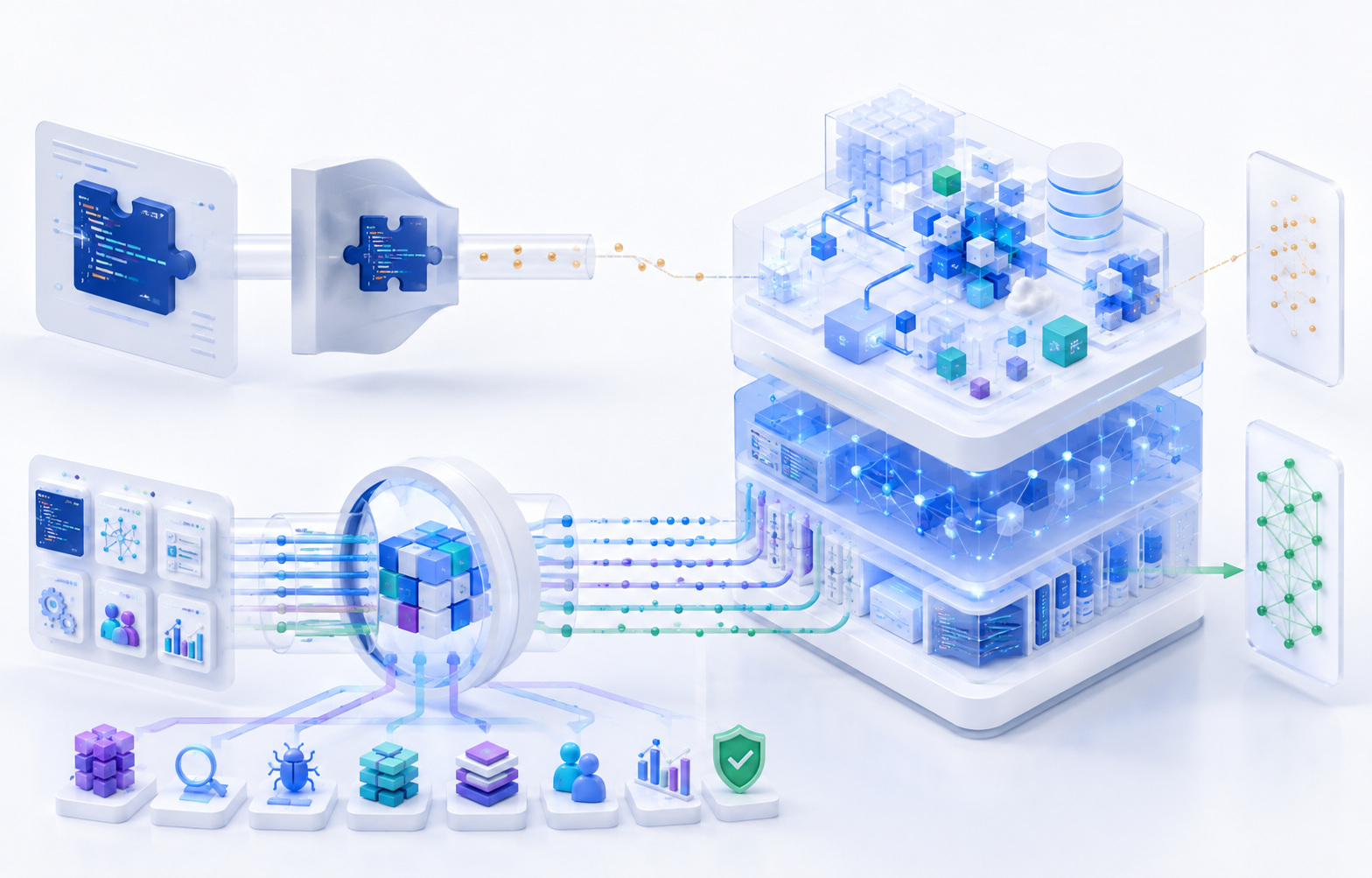
[Figure: Shared integration platform architecture, and how it relocates rather than eliminates ongoing maintenance]
Failure Patterns
The following patterns recur across integration-heavy SaaS products generally. They are presented as illustrative patterns, not as claims about any specific company's incident history.
| # | Condition | Observed Behavior | Maintenance Obligation Exposed | Detection or Mitigation |
|---|---|---|---|---|
| 1 | Provider retires an endpoint unchanged in the codebase for years | Integration fails abruptly on the retirement date | Version inventory and deprecation monitoring | Track provider deprecation notices proactively, not reactively |
| 2 | Customer revokes OAuth consent | UI continues showing "Connected" | Authorization state must be actively verified, not assumed | Periodic token validation checks against the provider |
| 3 | Provider introduces a new enum value | Sync worker rejects or mishandles affected records | Schema tolerance and monitoring for unrecognized values | Log and alert on unrecognized enum values rather than failing silently |
| 4 | One enterprise tenant hits rate limits | Aggregate metrics remain healthy | Per-tenant observability, not just global metrics | Tenant-level error and lag dashboards |
| 5 | Customer deletes a mapped custom field | Mapping silently stops populating data | Mapping health checks independent of sync-job success | Continuous mapping validation against current provider schema |
| 6 | Provider outage ends | Backlog cannot fully clear without exceeding rate limits | Recovery planning as distinct from outage handling | Prioritized, rate-aware backlog processing |
| 7 | Internal schema changes | Multiple integrations require new mapping logic simultaneously | Integration impact assessment during internal feature planning | Include integration impact in internal change scoping |
| 8 | SDK version update | Pagination behavior changes unexpectedly | Dependency upgrades are maintenance work, not just security hygiene | Regression testing on SDK upgrades |
| 9 | Sandbox tests pass | Production account uses permissions unavailable in sandbox | Sandbox and production parity gaps | Periodic validation against real production-like accounts |
| 10 | Bidirectional sync configured without clear field ownership | Update loop between systems | Explicit conflict resolution rules per field | Origin metadata and change deduplication |
| 11 | External object merged on provider side | Two internal records remain incorrectly linked | Identity resolution for merge events | Merge-aware reconciliation logic |
| 12 | Provider deprecates an authentication method | Existing integrations fail once the method is disabled | Authentication lifecycle monitoring | Track auth method deprecation timelines explicitly |
| 13 | Customer reports a sync issue | Support cannot diagnose without direct engineering involvement | Diagnostic tooling for non-engineering staff | Self-service integration health tooling for support |
| 14 | Integration owner leaves the company | Deprecation notices go unnoticed | Ownership diffusion over time | Maintain a current, accurate integration inventory |
| 15 | Provider redesigns their admin interface | Setup documentation becomes outdated without any code changing | Documentation as an ongoing maintenance surface | Periodic documentation review against current provider UI |
| 16 | Customer reconnects a previously disconnected integration | Duplicate historical data is created | External identifier handling on reconnect | Idempotent backfill logic keyed on stable identifiers |
| 17 | Sync jobs report success | Reconciliation later reveals missing records | Sync success and data completeness are not the same signal | Independent, periodic reconciliation jobs |
| 18 | Provider changes commercial API access terms | Integration economics change without any technical trigger | Business dependency risk as part of integration strategy | Monitor provider commercial and policy changes, not just technical ones |
Dissecting One Integration Request: "Add a Two-Way Salesforce Integration"
This single sentence, as it typically arrives from a sales or product conversation, compresses a large number of decisions that are not yet made and a larger number of obligations that are not yet visible. Working through what the sentence actually requires, rather than treating it as a scoped ticket, surfaces most of what this article has covered.
Which Salesforce objects does "the integration" actually cover — Contacts, Accounts, Opportunities, custom objects, some subset? Which direction does each object sync in, and is that the same direction for every object, or does it vary? Who owns each field when both systems could plausibly update it? How are the customer's own custom fields discovered, mapped, and validated over time? What happens locally when a record is deleted, archived, or merged on the Salesforce side? Which OAuth scopes are actually required, and how does reauthorization work if that set of scopes needs to expand later? Which Salesforce API version is the integration built against, and what is that version's support timeline? How are Salesforce's specific rate limits — which vary by edition and license type — handled for both steady-state sync and initial backfill? What does the customer see during initial sync, and how is progress communicated for large accounts where that sync might take hours? How do webhook-style event delivery and periodic reconciliation interact, and how are duplicate events from both mechanisms handled without double-processing? How does a backfill resume correctly if interrupted partway through? How does one customer's custom Salesforce schema differ from another's, and how does the integration accommodate that variation without a rewrite per customer? How does support diagnose issues without direct engineering involvement? How are version upgrades tested before they roll out to the full customer base? Who is responsible for monitoring Salesforce's own deprecation and release notices? What happens to this integration when the SaaS company's own internal data model changes? And, eventually, what would actually be involved in retiring this integration if that ever became the right decision?
None of this is a criticism of the original request, which is a perfectly reasonable way for a product or sales conversation to start. It is an argument that "two-way Salesforce integration" is a starting point for a scoping conversation, not a specification anyone can build directly from, and everything above it becomes a recurring obligation the moment the first version ships.
| Launch Requirement | Recurring Maintenance Obligation It Creates |
|---|---|
| OAuth connection to Salesforce | Ongoing credential validity monitoring, rotation, and reauthorization handling |
| Field mapping for standard objects | Continuous mapping validation as fields are renamed, removed, or retyped |
| Support for customer custom fields | Dynamic discovery, validation, and re-sync when customer schema changes |
| Two-way sync for selected objects | Conflict resolution rules, loop prevention, and ongoing reconciliation |
| Initial data sync (backfill) | Chunking, checkpointing, and resumability for large or interrupted backfills |
| Webhook subscription for real-time updates | Delivery monitoring, signature validation, and replay handling |
| Salesforce API version selection | Version inventory tracking and migration planning ahead of deprecation |
| Rate-limit-aware sync scheduling | Ongoing tuning as customer data volume and API tier change over time |
| Setup and permissions documentation | Periodic review against Salesforce's own evolving admin interface |
| Support diagnostic visibility | Maintained internal tooling reflecting real-time integration health |
Testing an Integration Portfolio, Not Just One Integration
Quality strategy has to change shape once a company is maintaining many integrations rather than one. Running a comprehensive end-to-end suite against every connector on every commit is rarely practical at scale — the cost in time, provider rate-limit consumption, and test fragility grows faster than the value it returns. A layered approach — unit tests, contract tests, mocked integration tests, provider sandbox tests, selectively chosen end-to-end tests, production synthetic checks, and periodic reconciliation — lets different layers catch different categories of failure at different costs, rather than relying on one expensive layer to catch everything.
Risk-Based Coverage
Prioritizing test investment by business criticality, actual usage, how frequently a given provider changes its API, the consequence of failure for that specific integration, and the integration's inherent complexity produces a more defensible allocation of limited testing resources than attempting uniform coverage depth across every integration in the portfolio regardless of how different their risk profiles actually are. This does not reduce to a formal scoring formula that can be applied mechanically — it is a judgment call that should be revisited periodically, since criticality and usage both shift over an integration's life.
Test Maintenance Is Part of Integration Maintenance
When a provider changes their API, the consequences rarely stop at production code. Test fixtures built against the old schema need updating, mocks encoding the old contract need revision, sandbox test data may need refreshing, and documentation describing expected behavior needs to reflect the new reality. Treating test suite upkeep as separate from "real" integration maintenance work understates the actual cost of keeping an integration correct — the tests are part of what keeps the integration correct, and they degrade along with everything else if left unmaintained.
Production Synthetic Checks
A carefully scoped, lightweight production check — verifying authentication still succeeds, a minimal read path still works, and where applicable a minimal write path still works and webhook delivery is still active — provides an ongoing signal of real integration health, distinct from and complementary to test-environment coverage. This needs to be designed carefully to respect provider terms of use and to avoid generating meaningful production side effects purely for monitoring purposes; a synthetic check that pollutes real customer data with test records is a worse outcome than not having the check at all.
Integration Release Management
Rolling out integration changes — especially API version migrations — benefits from the same staged rollout discipline applied to any other high-risk release: feature-flagged rollout, testing against provider sandboxes before touching production traffic, piloting with a small number of customers before broader release, and progressive enablement across the customer base rather than a single simultaneous cutover for every tenant at once. Integration migrations differ from ordinary product releases in one important respect: rollback is not always fully within the SaaS company's control, since the provider's own deprecation timeline may not allow indefinitely maintaining the old version as a fallback.
What "Done" Should Mean for an Integration
"Salesforce integration complete" is a claim worth challenging directly, given everything covered above. A production integration that can genuinely be called done, in the sense that its ongoing cost is actually manageable rather than merely undiscovered, has explicit answers for: ownership, authentication lifecycle handling, version policy, schema compatibility tolerance, rate-limit-aware behavior, sync semantics including conflict resolution where relevant, handling of customer-specific configuration, retry behavior, a reconciliation process, observability at the tenant level, support diagnostic tooling, current documentation, a test strategy appropriate to its criticality, a migration path for provider changes, active deprecation monitoring, and a defined sunset path if it is ever needed. This is not a formal checklist to be branded and reused mechanically — it is simply what "the connection remains correct as both systems continue changing independently" actually requires in practice, stated as a list rather than as an abstraction.
Questions Worth Asking Before Approving Another Integration
A concise set of questions that tends to surface the real cost of a proposed integration before it is built, rather than after:
| Question | What It Surfaces |
|---|---|
| What customer outcome does this integration actually unlock? | Whether the value case is concrete or assumed |
| How deep does the integration need to be to deliver that outcome? | Whether scope can be reduced without losing the value |
| Is it one-way or bidirectional? | Whether conflict resolution and loop prevention will be required |
| How variable is customer configuration likely to be? | The realistic size of the eventual test and support matrix |
| How stable has this provider's API historically been? | Expected frequency of forced migration work |
| What long-lived credentials will this integration require? | The authentication maintenance burden being taken on |
| What happens for the customer when this integration fails? | Appropriate criticality and monitoring investment |
| Can we observe per-tenant health, not just aggregate health? | Whether failures for individual customers will be visible at all |
| How will drift between the two systems be detected? | Whether reconciliation is planned or will be discovered as a gap later |
| Who owns this after launch, specifically? | Whether ownership is a real answer or a placeholder |
| What would retiring this integration eventually look like? | Whether exit cost has been considered at all |
Integration-heavy products require quality engineering that tests more than endpoint responses. Coverage needs to include authentication changes, schema drift, rate limits, retry behavior, customer-specific configuration, reconciliation, and degraded provider behavior — not just whether a request against a provider's API currently returns the expected status code under ideal conditions. [Internal link opportunity: API testing for third-party integrations]
QAtronic helps software teams test APIs, third-party integrations, data synchronization, failure recovery, and end-to-end business workflows. For integration-heavy SaaS, the objective is not only to prove that version one works, but to keep the connection dependable as both products continue to change.
Frequently Asked Questions
Why do SaaS integrations require ongoing maintenance after they ship? Because both sides of the connection keep changing independently after launch. The provider's API evolves, the provider's authentication and permission requirements change, customer configuration varies and drifts over time, and the SaaS company's own internal product model changes as well. An integration correct at launch is not guaranteed to remain correct without active attention, because the conditions it was built against do not hold still.
What makes third-party API integrations expensive to maintain over time? The largest recurring costs tend to come from schema and semantic drift, authentication lifecycle management, rate-limit constraints at scale, the combinatorial variety introduced by customer-specific configuration, and the support and diagnostic burden of figuring out whether a given failure originated internally or externally. None of these are one-time costs; each recurs throughout the integration's operating life.
How should companies monitor for API deprecations? By maintaining an accurate inventory of which API version each integration currently uses, ensuring provider deprecation notices reach a monitored destination rather than an individual's personal inbox, and assigning explicit responsibility for reviewing provider changelogs and deprecation timelines rather than relying on the notice being noticed by chance.
How do rate limits affect SaaS integrations in practice? They constrain how frequently data can realistically sync, how quickly large backfills can complete, how large customers can be onboarded without hitting caps unexpectedly, and how quickly a backlog can be processed after an outage. Rate limits should be treated as a real product constraint that shapes what freshness and speed the integration can honestly promise, not as a purely technical detail.
How should bidirectional integrations handle conflicting updates? By defining explicit field-level or object-level ownership rules in advance — which system's value wins in a conflict, and under what conditions — rather than leaving "keep both systems in sync" as a vague goal that has to be resolved improvised, in production, the first time an actual conflict occurs.
What is integration reconciliation, and why is it different from sync? Sync keeps two systems updated going forward. Reconciliation is a separate, periodic process that checks whether sync actually succeeded over time — comparing record counts, key fields, or checksums between systems to catch drift that individual sync-job success metrics can miss entirely, because a sync job reporting success on every call it made does not guarantee every record was actually captured.
How should third-party integrations be tested? Through a layered approach: unit tests for internal logic, contract tests for structural conformance, mocked integration tests for isolated application behavior, real provider sandbox tests, selectively chosen end-to-end tests for high-value scenarios, production synthetic checks for ongoing health signals, and periodic reconciliation to catch drift that no individual test layer is positioned to catch on its own.
When should a SaaS company use an integration platform instead of building directly? Direct integration tends to make more sense for core, differentiated, or unusually specific workflows where a generalized platform's abstractions would not fit well. A platform tends to make more sense for a larger number of relatively standard, CRUD-style integrations, particularly when engineering capacity is limited relative to the number of integrations customers are requesting. The right mix is usually a portfolio-level decision rather than a single universal answer.
How do you decide whether to sunset an integration? By weighing recognizable signals together rather than any single one in isolation: usage that has dropped relative to its maintenance cost, maintenance burden that has become disproportionate to the value delivered, provider discontinuation of the underlying platform, availability of a better-suited replacement, emerging security risk, or a broader strategic shift away from the workflow the integration supports.
How should integration maintenance cost be estimated during planning? By treating initial implementation as one term in a longer sum that also includes migration work, test maintenance, support, operations, provider-driven change work, customer-specific work, and eventual retirement — rather than budgeting only for the first working version and treating everything after it as an unplanned surprise. Exact costs vary too much by provider, complexity, and customer base to reduce to a universal formula or percentage, but the categories themselves are consistent enough to plan around.
A Roadmap Can Legitimately Say "Shipped"
Returning to where this article began: marking an integration as shipped on a roadmap is not inaccurate. It correctly describes the end of an implementation phase. What it should not be allowed to imply, inside the organization that wrote it, is that the work is finished. The checkmark means the first working version exists — it does not mean the company has finished deciding who watches for the provider's next deprecation notice, who validates that a mapping is still resolving correctly, who gets paged when a large enterprise account's sync silently stalls, or what happens the day this integration is no longer worth keeping.
A durable integration strategy treats external connections as ongoing product dependencies, each with an owner, a test approach appropriate to its criticality, real observability, a plan for how migrations get handled, a support process that does not route every question through an engineer, and eventually a defined path to retirement if that becomes the right call. None of that is a reason to build fewer integrations. It is a reason to price them honestly.
An integration earns its place in the product for as long as the customer value it creates remains greater than the cost of keeping the connection correct while both sides keep changing. That comparison does not get made once, at launch. It has to keep being made, for as long as the integration stays in production.