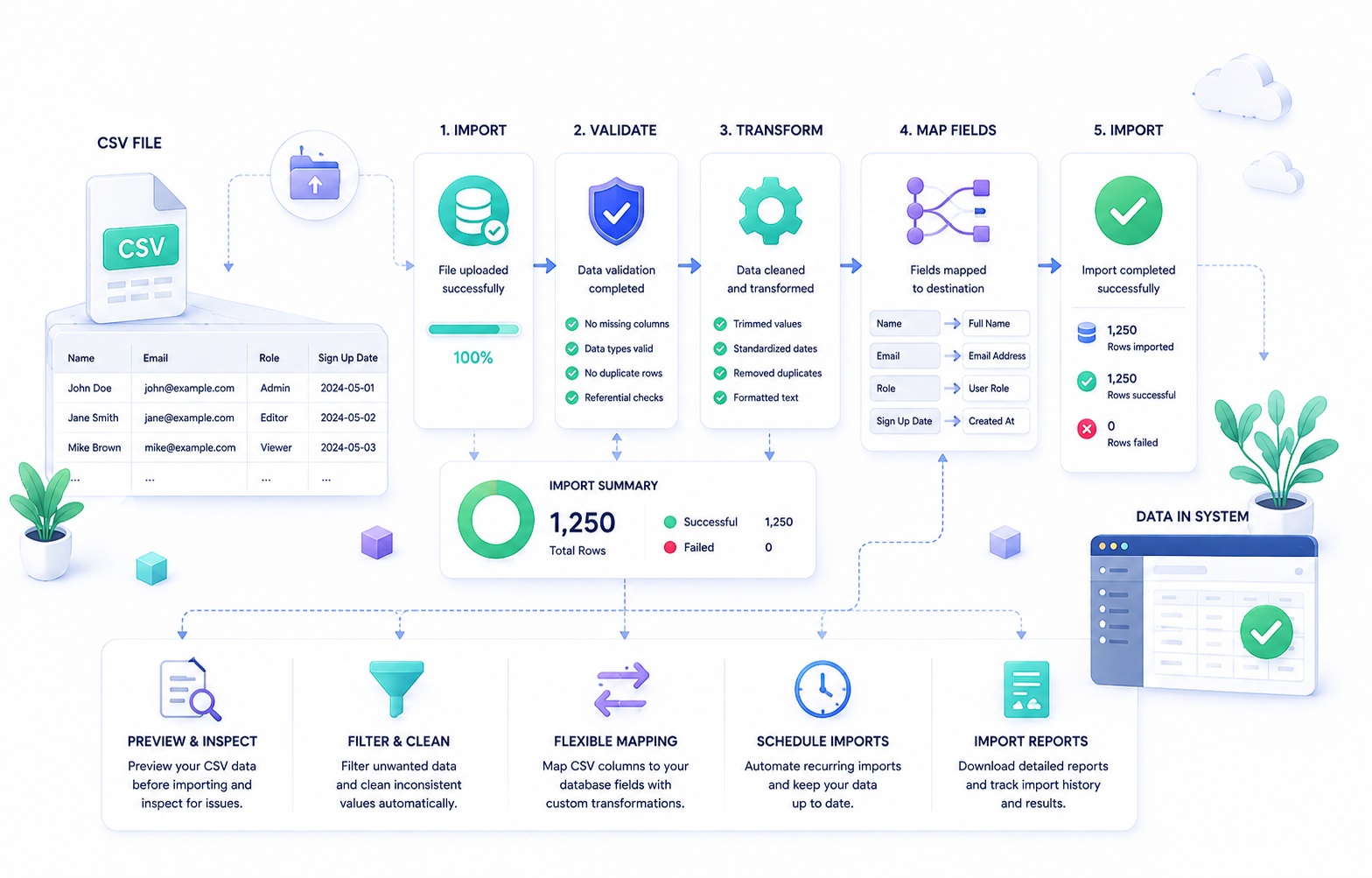
One Row Is Not a Test Case
Consider the smallest CSV file that could reasonably exist in a product: three columns, ten rows.
email,first_name,company
maria@example.com,Maria,Acme
The obvious implementation is three verbs: upload, parse, insert. A file arrives over HTTP, a parsing library turns it into rows, and each row becomes an INSERT statement against a contacts table. For a file this size, the entire operation completes inside a single request-response cycle, and it is tempting to consider the feature finished.
That implementation quietly depends on a long list of assumptions, none of which are stated anywhere in the code:
- Every row is valid.
- The column names match what the code expects.
- The file's character encoding is predictable.
- Every field contains the type of value the destination column expects.
- No two rows describe the same underlying record.
- Every row belongs to the tenant making the request.
- The entire file fits comfortably in memory.
- Every insert succeeds.
- Processing finishes before the HTTP client or load balancer times out.
- The user uploads the file exactly once.
- No other process modifies the same records while the import runs.
- Failure is all-or-nothing, and if something fails, the user will understand why.
- The operation can be safely retried without side effects.
None of these assumptions are unreasonable for a demo. All of them fail, eventually, in production. The rest of this article is an account of what happens when each one breaks, and what the system has to become in order to keep working when it does. The progression is not a framework to memorize. It is simply the order in which reality tends to arrive: one file becomes many rows, many rows become imperfect rows, imperfect rows come from foreign schemas, and from there the system accumulates the properties of validation, concurrency, recovery, and observability whether or not anyone planned for them.
[Figure: Side-by-side comparison of the "upload → parse → insert" mental model versus the actual production import pipeline, showing the additional layers — queue, workers, validation, reconciliation — that accrete around the simple path]
A File Is Not a Data Contract
CSV, as a format, guarantees almost nothing. RFC 4180 describes a reasonable common dialect — comma-separated fields, optional double-quoting, CRLF line endings — but it explicitly acknowledges that implementations vary widely, and in practice most CSV files in the wild are produced by spreadsheet software, ERPs, and ad hoc scripts that do not fully agree with each other or with the RFC. The fact that a file parses without throwing an exception says only that its syntax is coherent. It says nothing about whether the data inside it means what your system expects it to mean.
It helps to separate three layers that are easy to collapse into one:
File structure is about whether the bytes form valid rows and fields at all — correct delimiters, balanced quotes, consistent encoding.
Schema is about whether the fields present correspond to the fields your system expects, in a form it can interpret — the right columns, in a recognizable order or under a recognizable name.
Business meaning is about whether the values, once correctly parsed and mapped, are valid inputs to your domain — a date inside a permitted range, a status your system recognizes, a quantity that respects a business rule.
A file can pass the first layer and fail the second or third completely. Consider a support ticket that starts with "the import silently corrupted our data" and ends, after investigation, with a discovery like one of these:
- The header row contained duplicate column names (
email,email), and the parser silently used the last occurrence, discarding the first. - A trailing empty column, produced by a spreadsheet application appending a stray comma to every row, shifted validation logic that assumed a fixed column count.
- Some rows had more fields than the header, because a value legitimately contained an unescaped comma, and the parser distributed the overflow into the next column.
- A multiline address field, wrapped in quotes and containing an embedded newline, was correctly parsed by the library but incorrectly assumed by the application to be a single line when rendered in an error report.
- Field values that should have been escaped quotes (
"") inside quoted strings were instead interpreted as the end of the field, truncating everything after them. - Some rows had fewer fields than the header, because the source system omitted trailing empty columns entirely, and naive positional parsing shifted every subsequent value one column to the left.
None of these are exotic edge cases. They are the ordinary output of Excel, Google Sheets, legacy ERPs, and hand-rolled export scripts, all of which interpret "CSV" as a loose convention rather than a fixed specification. A production ingestion layer needs an explicit, documented set of assumptions about dialect — delimiter, quote character, escape behavior, line-ending handling — rather than a parser configured for "best effort" everywhere. Best-effort parsing does not eliminate ambiguity; it just moves the ambiguity from a design decision into a runtime guess, made silently, on someone else's data.
[Figure: A single CSV row diagrammed with the three layers labeled — file structure, schema, business meaning — showing where each type of failure occurs]
Encoding Is Part of Data Integrity
Long before a value reaches a validation rule, it has to survive being decoded from bytes into text. Most modern systems default to UTF-8, but a meaningful share of CSV files arriving from finance departments, legacy CRMs, and Windows-based export tools are encoded in Windows-1252, one of the ISO-8859 variants, or UTF-8 with a byte-order mark (BOM) prepended. A parser that assumes UTF-8 without a BOM will either reject those files outright or, worse, accept them and silently produce corrupted text.
The visible symptoms are recognizable: smart quotes turning into stray symbol sequences, accented characters in names becoming replacement characters, non-Latin scripts collapsing into question marks. Mixed-language customer bases make this more likely, not less — a contact list containing names in Vietnamese, Polish, and Japanese script is exercising encoding assumptions that a purely English test file never touches.
The distinction that matters operationally is between display corruption and identity corruption. If a free-text notes field renders with a mangled apostrophe, the record is still findable, still linked to the right customer, and the fix is cosmetic. If the corruption happens in a field used for matching or deduplication — an email address, an SKU, an external account code — the record can become permanently unmatched or duplicated. A malformed byte sequence in an identifier does not just look wrong; it changes what the system believes the record is. Once a corrupted identifier has been written to a production table and used as a join key elsewhere, correcting it after the fact can require finding every downstream reference, not just fixing a typo.
This is why encoding detection belongs in the ingestion layer, before any business logic runs, and why a production system should reject a file it cannot confidently decode rather than guess. A confident rejection with a clear message ("this file does not appear to be valid UTF-8 — please re-export using UTF-8 encoding") is recoverable. A silent misdecoding that corrupts a percentage of identifiers is not discovered until someone notices duplicate customers or broken lookups weeks later.
[Internal link opportunity: data quality]
Parsing Ends Where Business Validation Begins
It is useful to separate four distinct kinds of correctness, because they are checked at different points in the pipeline, by different code, and they fail for different reasons.
Syntactic parsing asks whether a value can be tokenized as a field at all — is this text between two delimiters.
Type validation asks whether that text can be coerced into the destination type — is "100" a valid integer, is "2026-08-18" a valid date.
Domain validation asks whether the value, correctly typed, is an acceptable value for this business context — is 100 a valid seat count for a plan whose limit is 50.
Referential and authorization validation asks whether the value correctly and permissibly refers to something else in the system — does this SKU exist and is it active, does this email already belong to a different tenant, is the current user allowed to modify this record.
The reason this separation matters is that a value can pass every earlier layer and still be wrong. "2026-08-18" is a perfectly valid ISO-8601 date — it will parse without error in virtually any language's date library — but if the business rule is that start dates must fall within an active contract period, and the contract ended in July, the date is invalid at the domain layer despite being flawless at the type layer. "US" might be syntactically valid text and even a real ISO country code, but invalid if your product only supports a specific list of markets. An email address can be syntactically well-formed, pass an RFC 5322 regex, and still be domain-invalid because it already belongs to another tenant's account — a referential failure, not a syntactic one.
| Layer | Question it answers | Example failure | Where it typically runs |
|---|---|---|---|
| Syntactic parsing | Can this be tokenized as a field? | Unescaped quote breaks row boundary | CSV parser |
| Type validation | Can this text become the right type? | "thirty" is not a valid integer |
Ingestion / mapping layer |
| Domain validation | Is this value acceptable in this business context? | Seat count of 100 exceeds plan limit of 50 | Application / domain service |
| Referential validation | Does this correctly and permissibly reference something else? | SKU exists but is inactive | Application / domain service |
| Authorization validation | Is the actor permitted to make this change? | Row references a record owned by another tenant | Authorization layer |
Treating all four as a single "validate the file" step is where most import bugs originate. A parser that only checks syntax will happily hand a database an integer that violates a business constraint. A validator that only checks type will happily approve a reference to a record the user has no right to touch. Each layer needs to be implemented — and tested — as its own concern, because each one fails independently and each failure needs a different, specific error message rather than a generic "row invalid."
Column Mapping Is a Schema Negotiation Problem
The product's internal schema might expect first_name, last_name, email. The customer's export, produced by whatever CRM or spreadsheet they were using before, has Given Name, Surname, Work Email. Neither side is wrong. This is the point where an import feature stops being a parser and starts being a negotiation between two schemas that were never designed to agree.
A mapping layer typically needs to support several things at once:
- Automatic suggestion — matching source headers to destination fields using exact match, case-insensitive match, and fuzzy heuristics (
"Work Email"suggestingemail), always subject to user confirmation rather than silent acceptance. - Explicit user mapping — a UI or API step where the user assigns each source column to a destination field, or marks it as ignored.
- Required versus optional fields — some destination fields must be mapped for the import to proceed; others can be left unmapped and will simply not be populated.
- Unmapped source columns — columns present in the file but not assigned to any destination field, which should be visibly ignored rather than silently dropped without acknowledgment.
- Duplicate mapping — preventing two source columns from being mapped to the same destination field, or handling it deliberately if it is allowed.
- Saved mappings and templates — once a customer has mapped their export format once, they should not have to repeat the exercise every week.
The saved-mapping feature raises a question that is easy to underestimate: what is a mapping scoped to? A mapping created for a specific file is disposable. A mapping scoped to a customer implies that their source system's headers are stable and can be trusted across future uploads. A mapping scoped to a specific source system (a named integration, like "Salesforce export" or "HubSpot export") is more durable, because it is not tied to a particular customer's naming quirks but to an actual product's actual export format.
Whichever scope is chosen, saved mappings are configuration, and configuration changes over time. If a customer's source system changes its export headers — a common event when they upgrade their own CRM — the saved mapping becomes stale, and either the import needs to fail loudly with a clear diagnostic, or the system needs a versioning strategy for mappings, similar to versioning any other piece of configuration that drifts from the assumptions it was created under.
There is also a quieter design choice buried here: mapping by header name versus mapping by column position. Name-based mapping is more resilient to customers reordering their own columns but more fragile if they rename a header slightly. Position-based mapping is simpler but breaks the moment a customer inserts or removes a column. Most production systems default to name-based mapping with position as a fallback only when headers are missing entirely, but this is a decision that should be made explicitly rather than inherited by accident from whichever parsing library's default behavior happened to be convenient.
[Figure: Mapping UI concept showing source columns on the left, destination fields on the right, with suggested matches, an "ignored" bucket, and a required-field indicator]
Data Types Are Messier Than They Look
Every value in a CSV file is, at the byte level, just text. The moment your system decides that a column represents a number, a boolean, a date, or a currency amount, it is making an interpretive choice, and CSV gives no guarantees that the source data was produced with the same interpretation in mind.
Numbers with meaningful leading zeros. "00123" looks like an integer with padding, but it might be a postal code, a product code, or an account number where the leading zeros are semantically part of the identifier. Coercing it to an integer type silently discards information that cannot be reconstructed later. The correct handling depends entirely on what the field represents — something the parser cannot know from the value alone, only from the schema.
Boolean ambiguity. Source systems represent true/false in wildly different ways: true/false, TRUE/FALSE, yes/no, Y/N, 1/0, and sometimes "Active"/"Inactive" in what is functionally a boolean field. A production import needs an explicit, documented list of accepted boolean representations per field, not a single hardcoded check for the literal string "true".
Date ambiguity. 01/02/2026 is January 2 to a US-formatted system and February 1 to almost everywhere else. There is no universally correct interpretation; there is only the interpretation the source system used when it generated the export, which the importer has to either know in advance or ask the user to confirm. Locale-aware parsing helps, but only if the locale is actually known rather than assumed. A CSV import that silently defaults every ambiguous date to US format will corrupt data for every customer whose export used a different convention, and the corruption will not throw an error — it will produce a plausible, wrong date.
Currency and percentages. "$1,200.00", "1200", "1,200", and "12.00%" might all represent quantities that need to be normalized into a single internal representation, and the presence or absence of a currency symbol, thousands separator, or percent sign is not a reliable indicator of the source system's actual precision or intent.
Phone numbers and postal codes. These frequently look numeric but are actually identifiers with format rules — country-code prefixes, variable lengths, leading zeros — where treating them as numbers rather than formatted strings destroys information.
The organizing principle across all of these is that there is no single correct default. What there needs to be is an explicit, documented import policy per field: how leading zeros are handled, which boolean representations are accepted, what date format is assumed (or required, or auto-detected with confirmation), and what happens to ambiguous values that could be reasonably interpreted more than one way. Leaving this implicit means the actual policy is whatever the parsing library happens to default to, which is rarely a decision anyone consciously made.
| Data type | Common ambiguity | Why it matters | Mitigation |
|---|---|---|---|
| Numeric identifiers | Leading zeros ("00123") |
Coercion to integer discards meaningful characters | Treat as string unless explicitly numeric |
| Boolean | yes/no/Y/N/1/0/true/false |
Unrecognized representation may default incorrectly | Explicit accepted-value list per field |
| Dates | 01/02/2026 (MM/DD vs DD/MM) |
Silent misinterpretation produces a valid but wrong date | Require format declaration or explicit locale confirmation |
| Currency | Symbols, separators, precision | Normalization errors compound across large volumes | Explicit parsing rules, not generic numeric coercion |
| Phone/postal codes | Numeric-looking but identifier in nature | Numeric coercion strips format-relevant characters | Treat as formatted string, validate against pattern |
Blank Is a Business Value
Import logic tends to treat "no value was provided" as a single condition, but a CSV file can express the absence of information in several genuinely different ways, and collapsing them into one is a common source of silent data loss.
An empty string in a cell (,,) is different from a missing column (the header itself absent from the file), which is different from a blank cell with surrounding whitespace, which is different from an explicit null-like token (NULL, N/A, -), which is different from an actual zero or false value, which is different from a field that was simply never included because the source system does not track that attribute.
The place this becomes a serious problem is in update imports. Suppose a customer uploads a file to update existing contact records, including email and department, but leaving phone blank for every row. There are two defensible interpretations:
- The blank means "remove the phone number" — the customer is explicitly clearing the field.
- The blank means "no change to phone" — the customer's export simply didn't include phone data and never intended to touch it.
A parser cannot decide this. It is not a technical question at all; it is a business semantic that has to be defined by the product, ideally made explicit to the user at mapping time ("should blank values in mapped columns clear the existing value, or leave it unchanged?"), rather than resolved implicitly by whatever the ORM's default update behavior happens to do with an empty string. Getting this wrong in production does not produce an error. It produces a quiet, cumulative loss of data that the customer discovers only when someone notices half their phone numbers are missing weeks later, at which point reconstructing which imports caused the loss — without an audit trail — can be close to impossible.
Create, Update, or Upsert?
A "let users import their data" feature almost always starts as "create new records" and, given enough time, evolves into "synchronize our records with theirs" — because customers do not want to run a one-time import; they want to keep two systems aligned, and CSV becomes the mechanism for repeated synchronization even when it wasn't originally designed for that.
This forces a decision about matching strategy: how does the system decide that a row in the file corresponds to an existing record rather than a new one? Common approaches include matching by:
- Internal ID — reliable, but only if the customer's source system stores and exports your internal ID, which is rarely true for a first import.
- External ID — a stable identifier from the customer's own system, if one exists and is consistently populated.
- Email — convenient because it is almost always present, but risky because email addresses change, and a person's changed email can cause the system to treat them as a new record rather than an update to an existing one, silently duplicating history.
- SKU or account number — reliable within a single source system, but can collide across merged data sources.
- Composite key — combining multiple fields (e.g., name plus company plus region) to approximate identity when no single reliable identifier exists, at the cost of being probabilistic rather than exact.
Each of these carries real risk. Matching by email is the most common default because it is almost always present and looks unique, but a customer who changes their email address between two import cycles will appear to the matching logic as a brand-new person, and the system will either create a duplicate record or, in an upsert-by-email scheme, fail to find the existing record it should have updated. There is no matching key that is risk-free; there is only a decision about which risk is more acceptable for a given domain, and that decision should be visible in the product's mapping UI, not buried in application code.
Record identity is arguably the single most consequential decision in an import system's design, because it determines what "update" even means. Get it wrong and every subsequent feature — deduplication, rollback, reconciliation — inherits the ambiguity.
| Behavior | Description | Risk |
|---|---|---|
| Create-only | Every row becomes a new record; existing matches are ignored or rejected | Duplicate records if the file overlaps with existing data |
| Update-only | Rows must match an existing record or are rejected | Legitimate new records are silently dropped |
| Upsert | Matched rows update; unmatched rows create | Matching-key ambiguity determines correctness of the entire operation |
Deduplication Deserves Its Own Design
Deduplication is not one problem; it is at least four, and conflating them leads to either overly aggressive merging or missed duplicates.
Duplicates inside a single file — the same logical entity appears more than once in one upload, sometimes because the source export itself has redundancy.
Duplicates against existing database records — a row in the file matches something already stored, which overlaps with the create/update/upsert decision above but is a distinct check.
Duplicates across previous imports — a record created by last month's import reappears, possibly with slightly different formatting, in this month's file.
Near-duplicates — records that are not identical but plausibly refer to the same entity: john@example.com and John@example.com (a case-sensitivity question that email addresses technically allow but that almost no real mail system treats as meaningfully different), or ACME Inc., Acme, Inc., and ACME Incorporated as three renderings of one company name.
Exact matching — case-normalized email comparison, trimmed whitespace, canonicalized formatting — is deterministic, explainable, and safe to automate. Fuzzy matching, by contrast, is a genuinely different kind of decision: it trades false negatives (missed duplicates) for false positives (merging two records that were never actually the same entity). Automatically merging "ACME Inc." and "Acme Corp" because a similarity score exceeded a threshold can silently combine two different companies that happen to share a short, common name fragment, and unmerging that mistake after billing history, support tickets, or user accounts have been attached to the wrong entity is far more expensive than the duplicate it was meant to prevent.
This is why fuzzy deduplication should not be treated as a universal best practice. Deterministic deduplication — exact match on a normalized key — should be the default behavior for anything that runs automatically. Fuzzy matching, where it is used at all, is usually safer as a suggestion surfaced to a human reviewer ("these two records look similar — merge them?") rather than as an automatic action taken without confirmation, particularly in domains like billing, identity, or CRM data where merging the wrong two entities has downstream consequences that are hard to reverse.
[Internal link opportunity: data quality]
500,000 Rows Change the Architecture
Everything discussed so far is true even for a ten-row file, but at ten rows it is invisible: a naive read-entire-file-into-memory, parse-everything, insert-everything, return-response implementation will work, appear correct, and pass every test written against small fixtures. The point where this implementation stops working is not really about a specific row count; it is about the moment the file's size, the number of database operations, or the total processing time exceeds what a single synchronous request can safely absorb.
At meaningful scale — the specific threshold varies by system, but 500,000 rows is a reasonable illustrative example — several constraints appear simultaneously:
Memory consumption. Loading an entire file into memory as a list of parsed rows means peak memory usage scales linearly with file size. A streaming parser, which reads and processes the file incrementally rather than materializing the whole thing, keeps memory usage roughly constant regardless of file size, at the cost of not being able to trivially look at "all rows" at once — cross-row validation, like detecting in-file duplicates, has to be done with an auxiliary structure (a set of seen keys, for instance) rather than a full in-memory list.
Chunking and batching. Rather than issuing one database write per row, or one enormous write for the entire file, rows are grouped into batches — a few hundred to a few thousand rows per batch, depending on row size and destination system — and each batch is processed as its own unit of work. Batch size is a tradeoff, not a constant to copy from another team's blog post: smaller batches reduce the blast radius of a single failure and reduce lock duration, but increase per-batch overhead; larger batches are more efficient per-row but hold locks longer and make a mid-batch failure more expensive to recover from.
Database pressure. Even correctly batched writes can create lock contention against tables that interactive users are simultaneously querying, exhaust connection pools shared with the rest of the application, and generate enough write-ahead-log or transaction-log volume to affect replication lag or backup windows.
Worker concurrency. Once processing moves off the request thread and into background workers, the question becomes how many workers can process batches from this import — and from other imports, and from other background jobs entirely — concurrently, without one large import starving everything else running on the same infrastructure.
Temporary storage. The uploaded file itself, before and during processing, needs somewhere to live that is not the web server's local disk, particularly in any horizontally scaled or containerized deployment where the server handling the upload request might not be the server handling the processing job.
None of this is optional once volume crosses a threshold; it is the mechanical consequence of the fact that a single HTTP request thread, a single database transaction, and a single machine's memory are all finite resources, and a large enough file will exceed at least one of them regardless of how efficient the code is.
[Figure: Comparison diagram of synchronous single-request processing versus streamed, batched, queued background processing, showing memory and time profiles for each]
The HTTP Request Should Not Own the Import Lifetime
A browser-initiated HTTP request has a natural lifetime measured in seconds, bounded by client timeouts, proxy timeouts, and load balancer idle limits. A large import can take minutes or hours. Tying the two together — making the import's success or failure depend on the original request staying open — guarantees that large imports will fail for reasons that have nothing to do with the data itself.
A more durable architecture decouples upload from processing:
- The browser uploads the file to the API, which streams it directly to object storage rather than holding it in application memory.
- The API creates an import metadata record — an entity representing "this import exists, here is where its source file lives, here is who initiated it" — and returns immediately.
- A background job is enqueued, referencing the import record.
- One or more workers pick up the job, read the file from object storage, and process it in batches, updating the import record's state as they go.
- The user is notified of completion — via polling, a webhook, an in-app notification, or email — independent of whether their browser session is still open.
This separation answers a question that a synchronous design cannot: what happens if the user closes their browser mid-upload? In a synchronous model, closing the browser can abort the connection and, depending on server behavior, abort the processing with it, leaving the import in an undefined, possibly half-applied state that nobody knows about. In a decoupled model, once the server has accepted responsibility for the file — once step 2 has completed — the import continues regardless of what happens to the browser tab. The frontend's job becomes reporting on backend truth, not owning the operation.
This distinction between frontend progress and backend truth matters beyond this one scenario. A progress bar is a UI's interpretation of state that actually lives in the backend. If the backend crashes, restarts, or is redeployed, the import's true state should be recoverable entirely from persisted data, not reconstructed from whatever the last request happened to report to the browser.
The Import Itself Needs a State Machine
A single boolean field — import_finished: true/false — is adequate for a demo and inadequate for almost everything else, because it cannot represent the states that actually matter to users, support staff, and the system itself. A more complete state model looks something like this, though the exact names are illustrative rather than universal:
uploaded → queued → validating → ready → processing → partially_completed / completed / failed → (optionally) canceled
Each state answers a different question. uploaded means the file exists in storage but nothing has looked at it yet. validating means the system is checking structure and business rules without yet mutating data. ready (in designs that support a preview-then-confirm flow) means validation is complete and the import is waiting for user confirmation before it touches the database. processing means mutations are actively happening. partially_completed — a state many implementations skip, incorrectly collapsing it into either completed or failed — means some rows succeeded and some did not, which is common enough at scale that it deserves to be a first-class outcome rather than an edge case bolted onto a binary result.
What makes this a state machine, rather than just a status field, is that not every transition is valid. A completed import should not silently transition back to processing — if a bug or a retry does this, something is structurally wrong, and it should be treated as an alertable anomaly, not a normal event. A canceled import should not resume processing on its own; if it needs to restart, that should be an explicit, auditable new action, not an automatic side effect of a queue redelivering a stale message. Encoding these constraints explicitly, rather than trusting that application code will always happen to update the status field correctly, is what prevents the kind of inconsistent state that is nearly impossible to debug after the fact, because by the time someone notices, the transition that caused it has already happened and left no trace.
The state design connects directly to both observability (a dashboard that counts imports by state gives an immediate operational picture) and user experience (a user who sees "partially completed — 41,003 succeeded, 369 failed" understands their situation; a user who sees a spinner or a bare "failed" does not).
| State | Meaning | Valid next states |
|---|---|---|
| uploaded | File stored, not yet inspected | queued, failed |
| queued | Waiting for a worker | validating, canceled |
| validating | Structural and business validation running | ready, failed |
| ready | Validated, awaiting confirmation (if preview flow used) | processing, canceled |
| processing | Mutations actively being applied | partially_completed, completed, failed |
| partially_completed | Some rows succeeded, some failed | (terminal, or retried as a new import) |
| completed | All applicable rows succeeded | (terminal) |
| failed | Import could not proceed | (terminal, or retried as a new import) |
| canceled | Stopped by user or system before completion | (terminal, or restarted as a new import) |
[Figure: State machine diagram showing all states and valid transitions, with invalid transitions explicitly crossed out]
Progress Is a State Estimate, Not a Fact
A progress bar reading "73%" implies a precision the underlying system usually does not have. For a file with 500,000 rows, does having parsed 250,000 of them mean the import is 50% complete? Only if parsing and the rest of processing take comparable time per row, which is frequently false. If validation is computationally cheap but the database mutation for each row is expensive — because it involves multiple writes, a lookup, or an external API call — then row-based progress during the validation phase will race ahead of actual completion, showing 90% while the truly expensive work has barely started.
Some imports also have stages with genuinely different costs: a validation stage, a database-mutation stage, and — if each row also needs to synchronize with an external system — an API-call stage that might be rate-limited and therefore the slowest by far. And after the "primary" processing appears finished, a retry queue for rows that failed transiently (a timeout, a rate limit) can continue running, meaning the import is not actually done even though the main pass has completed.
There isn't a universal formula that resolves this, but there are approaches more honest than naive row counting:
- Row-based progress, appropriate only when per-row cost is roughly uniform across the whole pipeline.
- Stage-based progress, reporting which stage is active ("validating," "applying changes," "syncing external systems") rather than pretending a single percentage captures heterogeneous work.
- Weighted progress, assigning relative cost weights to each stage based on empirical measurement, so that a stage known to take ten times longer than another counts for ten times as much of the total percentage.
The failure mode worth avoiding is not "progress is hard to compute precisely." It is presenting a number with false precision that misleads the user about how much longer they should expect to wait, which erodes trust more than an honest "processing — stage 2 of 3" would. A progress indicator does not need to be mathematically perfect. It needs to be honest about what it actually knows.
Partial Success Is a Product Decision, Not a Technical One
This is where import design intersects most directly with product judgment, and it is worth working through concretely. Take a 100,000-row file where 99,843 rows are valid and 157 are not. What should happen?
Option A — reject the entire file. Nothing is imported until every row is valid. This guarantees atomicity and protects against partial, confusing states, at the cost of blocking 99,843 legitimate records because of 157 unrelated problems, and forcing the user through a slow cycle of "fix the file, re-upload the whole thing, wait again."
Option B — import the valid rows, report the invalid ones. The 99,843 valid rows are committed; the 157 invalid rows are rejected with specific reasons and can be corrected and resubmitted separately. This maximizes throughput and matches user intuition in most contexts, at the cost of the import no longer being atomic — the operation as a whole "succeeded" and "failed" simultaneously, which some domains cannot tolerate.
Option C — validate everything first, let the user correct the invalid rows, then commit nothing until the corrected set is fully valid. This preserves atomicity while giving the user a chance to fix problems without discarding their entire file and starting over, at the cost of additional UI complexity and a window between validation and commit during which underlying data could change.
Option D — stage the entire import as a preview, require explicit confirmation before anything touches production data. This adds a deliberate human checkpoint, useful when the operation is high-stakes, at the cost of extra friction for the common case where the file is simply correct and the user just wants it applied.
There is no universally correct choice among these. The right one depends on what the data represents. A CRM contact import where 157 rows fail is usually fine with Option B — importing 99,843 correct contacts while flagging 157 for correction causes little harm. A financial-balance import, an inventory-adjustment import, or a bulk user-provisioning import touching access control is a different situation: partial application of a financial batch can leave the ledger in an inconsistent state that is worse than doing nothing, which argues for Option A or C. The engineering question — "can we implement partial success?" — is almost always answerable. The harder question is whether the business can tolerate what partial success actually means for that specific kind of data, and that question belongs to product and domain owners, not to whichever behavior happened to be easiest to implement first.
| Model | Description | Best suited for | Cost |
|---|---|---|---|
| Reject entire file | Nothing imported unless everything is valid | High-stakes atomic domains (financial, access control) | Blocks valid data over unrelated errors |
| Import valid, report invalid | Valid rows commit; invalid rows are reported separately | High-volume, low-individual-stakes data (contacts, catalog items) | Operation is no longer atomic |
| Validate then correct before commit | Nothing commits until the corrected set is fully valid | Medium-stakes data where atomicity matters but so does throughput | Window between validation and commit; added UI complexity |
| Staged preview with confirmation | Full preview shown; explicit confirmation required before mutation | High-risk or infrequent bulk operations | Added friction for the common, error-free case |
Database Transactions Have Practical Limits
Wrapping an entire large import in one database transaction is intuitively appealing — it seems to offer atomicity for free — but it runs into practical limits well before it runs into theoretical ones. A transaction spanning hundreds of thousands of row mutations holds locks for the transaction's entire duration, which can block interactive traffic touching the same tables. It grows the transaction log substantially, which affects replication and backup operations. And if it fails near the end, the rollback itself has a cost proportional to the work already done, which can turn a five-minute failure into a twenty-minute recovery.
The practical alternative is smaller, independently committed batches — each batch is its own transaction, sized to keep lock duration and log growth reasonable. This solves the operational problem but introduces a new one: once batches commit independently, there is no longer a single database transaction that can be rolled back to undo the whole operation. If batch 23 of 50 fails, batches 1 through 22 have already been permanently committed. Recovering from that failure is no longer "roll back the transaction" — it is a domain-level problem, requiring either a resumable retry of the failed batch or, if that's not possible, an explicit compensating operation to undo what already happened. This tradeoff — operational safety at the database layer in exchange for losing free atomicity at the application layer — is one of the most consequential architectural decisions in the whole import design, and it is the reason the next section exists.
Rollback Is Not an Undo Button
"Can we roll this import back?" is one of the most common questions asked after something goes wrong, and the honest answer is usually "it depends on what we designed for, and we should have decided this before the first large production failure, not after." Several distinct strategies exist, each with real tradeoffs:
Full database transaction rollback works cleanly, but only for imports small enough to fit inside a single transaction — which, per the previous section, is often not true for large imports.
Compensating operations — explicit reverse actions ("delete the records this import created," "restore the previous values for records this import updated") — work for any batch size but require the system to have recorded enough information to know what to compensate for.
Import version tagging — attaching an import_id to every record a given import touches — makes it possible to identify everything an import affected, but identification is not the same as reversal.
Snapshot and restore — capturing a full snapshot of affected tables before the import runs and restoring from it on failure — is powerful but expensive at scale and risks discarding legitimate changes made by other processes between the snapshot and the restore.
Soft deletion — marking created records as deleted rather than physically removing them — makes "undoing creates" straightforward, but does nothing for updates.
Reverse import — generating and running a new import that applies the inverse of the original changes — is flexible but only as correct as the change history it is built from.
Staged commit — the preview/confirm pattern from the previous section, where nothing is committed until explicitly confirmed — sidesteps the rollback problem for the common case by making commitment deliberate, though it does not help once something has already been committed and later found wrong.
The concrete failure case that exposes the gap in most naive designs: an import creates 10,000 new customer records and updates 5,000 existing ones. Deleting everything tagged with that import_id correctly removes the 10,000 new records. It does nothing for the 5,000 updates — their previous values are simply gone unless the system captured them somewhere before overwriting, typically as a change-history or audit log recording the prior state of each field that was modified. Without that captured history, "rollback" for updated records is not possible at all; it is not a bug to fix later, it is a structural gap in what the system recorded, and structural gaps cannot be patched retroactively for data that has already been overwritten.
This is why rollback strategy has to be designed before the first large import runs in production, not after the first one fails. By the time a failure happens, the information needed to reverse it either exists because it was captured in advance, or it does not exist and cannot be recovered.
| Strategy | Handles creates | Handles updates | Cost |
|---|---|---|---|
| Full DB transaction | Yes | Yes | Only viable for small-to-medium imports |
| Compensating operations | Yes (delete) | Only if prior values were recorded | Requires designed-in state capture |
| Import version tagging | Enables identification | Enables identification, not reversal | Low cost, insufficient alone |
| Snapshot/restore | Yes | Yes | Expensive; risks discarding concurrent legitimate changes |
| Soft deletion | Yes | No | Simple for creates only |
| Reverse import | Yes | Yes, if history exists | Only as correct as recorded change history |
| Staged commit (preview) | Prevents need, doesn't reverse | Prevents need, doesn't reverse | Best for avoiding the problem, not solving it after the fact |
Retries Turn Imports Into Idempotency Problems
Every layer of a distributed import pipeline can retry: a user manually re-uploads after seeing a timeout, a browser retries a failed request automatically, a load balancer retries against a different backend instance, a message queue redelivers a job it didn't receive an acknowledgment for, and a worker that crashed mid-task gets replaced by another worker picking up the same job. Any of these can cause the same logical operation to be attempted more than once, and CSV import pipelines are especially exposed to this because they perform large numbers of discrete mutations, any one of which can be individually retried.
The classic failure sequence: a worker processes a batch, successfully writes the mutations to the database, and then crashes — due to an out-of-memory condition, a deploy-triggered restart, a network partition — before it can acknowledge the message to the queue. The queue, having received no acknowledgment, assumes the job failed and redelivers it to another worker. That worker has no way of knowing the mutations already succeeded, and re-executes them. If the mutations were simple inserts, this creates duplicate records. If they were increments (quantity = quantity + 10), this silently corrupts a numeric value in a way that is much harder to detect than an obvious duplicate row.
Idempotency is the property that prevents this: designing each operation so that executing it more than once produces the same result as executing it once. The standard mechanism is an idempotency key — a value that uniquely identifies "this specific logical operation," checked before mutation, so a repeat with the same key is recognized and skipped or safely converted into a no-op update. Reasonable candidates include import_id combined with the row's position in the file, or import_id combined with a stable source-provided identifier if the row has one — but the correct choice genuinely depends on domain semantics. Row-position keys work if row order in the file is stable across retries (true for a file read from immutable storage, not necessarily true if the retry re-parses a file that changed). Source-identifier keys work only if the source data reliably provides a stable identifier, which is not guaranteed for arbitrary customer exports.
function processRow(importId, rowNumber, rowData):
    idempotencyKey = importId + ":" + rowNumber
    existing = lookupOperationLog(idempotencyKey)
    if existing exists:
        return existing.result   // already processed, do not repeat
    result = applyMutation(rowData)
    recordOperationLog(idempotencyKey, result)
    return result
This is a simplified illustration, not a complete implementation — a real system needs to handle the case where the operation log write and the mutation itself are not atomic with each other, which is its own smaller instance of the same problem. The broader point is that idempotency is not something a system gets automatically from using a queue with "at-least-once delivery." At-least-once delivery guarantees the job will be attempted at least once, not exactly once, and it is the application's responsibility — not the queue's — to make repeated attempts safe.
File Re-Uploads Are a Deliberate Product Decision
A related but distinct scenario: a user uploads the same file twice, deliberately or by mistake — perhaps because the first upload appeared to fail, or because they simply forgot they'd already run it. Several policies are possible: reject an exact duplicate file outright, allow the duplicate import to proceed as a completely independent operation, detect that the rows were already processed in a previous import and skip them, or treat the upload as a synchronization pass rather than a fresh import, relying on the create/update/upsert logic to naturally handle already-existing records.
File hashing — computing a checksum of the uploaded file and comparing it against previously uploaded files — is a reasonable first line of defense against the literal same-bytes-twice case, and cheap to implement. But it solves a narrower problem than it appears to. A source system that regenerates "the same" export will frequently produce a file with a different byte-for-byte hash even though the underlying data is identical — different row ordering, a refreshed timestamp column, whitespace differences introduced by the export tool. Hashing catches accidental literal re-uploads; it does nothing for semantic duplication, where two files differ in bytes but represent the same underlying intent. Semantic duplicate detection has to happen at the row level, using the same matching-key logic discussed in the deduplication and identity sections above, not at the file level.
Concurrent Imports and the Records Underneath Them
Once more than one process can modify the same data — a running import, a user editing a record through the normal UI, a second import running at the same time, a scheduled sync overlapping with a manual upload — race conditions become possible, and they are among the hardest import bugs to reproduce because they depend on timing.
A representative scenario: Import A begins processing a large file and reads a customer's seat limit as part of preparing an update. While Import A is still running, a user manually changes that same seat limit through the application UI, from 50 to 60. Import A, having already read the old value into memory before the user's change, finishes processing later and writes 50 back, silently overwriting the user's manual change with stale data the import never intended to conflict with.
The mitigations available are the same ones used for concurrency problems generally, applied specifically to bulk operations:
- Optimistic concurrency — each record carries a version number or timestamp; the import's write includes the version it read, and the write is rejected if the version has since changed, forcing the import to re-fetch and decide how to handle the conflict rather than blindly overwrite.
- Record versioning — closely related, sometimes implemented as a
updated_atcheck rather than an explicit integer version. - Last-write-wins — the simplest policy, where whichever write happens last simply overwrites the earlier one, acceptable only when the business genuinely does not care which source's value survives a conflict.
- Locking — explicitly locking a record for the duration of an import's write to it, preventing concurrent modification, at the cost of the lock contention discussed earlier in the context of large-batch writes.
- Conflict detection with manual resolution — flagging conflicting writes for human review rather than resolving them automatically, appropriate when neither "import wins" nor "manual edit wins" is safe to assume as a universal default.
Which of these is correct depends entirely on the business rule that should apply when two sources disagree about the same field at nearly the same time, and that is not a technical determination — it needs an explicit answer from whoever owns the product behavior, because the alternative is that the answer gets decided implicitly by whichever code path happens to execute last.
Authorization Does Not Disappear During Bulk Operations
A user who is authorized to upload a file is not automatically authorized to modify every record that file references. This sounds obvious stated directly, but it is a surprisingly common gap in import implementations, because the authorization check that correctly guards a single-record API endpoint is easy to forget to apply — or to apply cheaply enough to run 500,000 times — inside a bulk pathway that was built separately from that endpoint.
The failure scenario worth designing against explicitly: a CSV file, whether through malicious intent or an honest data-handling mistake — a customer accidentally exporting from a shared internal tool that spans multiple client accounts — contains record IDs that belong to a different tenant than the one uploading the file. The parser has no way to know this; parsing succeeds cleanly, because the IDs are syntactically valid. It is the authorization layer's job to independently verify, for every referenced record, that the acting user's tenant actually owns it, and to reject the specific rows that fail this check rather than either accepting them or failing the entire file for an unrelated reason.
This needs to be treated as its own validation layer, run for every row regardless of how confident the system is that it "shouldn't" receive out-of-tenant IDs, because the entire premise of bulk operations is that they process externally supplied data at a scale where manual review of each row is not realistic. Relevant boundaries to check explicitly include tenant or organization ownership, role-based permissions (does this user's role permit bulk modification of this type of record at all), field-level restrictions (can this role modify this specific field, even if it can modify the record generally), and any distinction between an ordinary user-initiated import and an administrative or delegated-access import that may carry broader permissions deliberately.
Bulk operations are, in effect, a concentrated authorization surface: a single request that can attempt hundreds of thousands of individually-authorization-checkable actions. Treating that surface with the same rigor as a single-record endpoint, rather than assuming bulk pathways are inherently trusted because they're internal, is a baseline requirement, not an advanced concern.
[Internal link opportunity: security testing]
CSV Imports Are Security Boundaries
Beyond authorization specifically, an upload endpoint that accepts arbitrary user-supplied files is a general attack surface and should be engineered defensively, in line with standard OWASP guidance for file upload handling.
File size limits prevent a single upload from exhausting storage or memory disproportionately; limits should be enforced at the edge (load balancer or gateway), not only in application code that has already accepted the full upload before checking.
Malformed files — files that claim to be CSV but contain arbitrary binary content, or CSV files engineered to have pathological structure — should be rejected by a strict parser rather than handed to a permissive one that attempts to recover from anything.
Decompression bombs, relevant if compressed uploads (a .zip containing a CSV, for instance) are supported, are a known category where a small compressed file expands to a size designed to exhaust resources; any decompression step needs explicit size limits enforced during expansion, not only checked afterward.
Excessive columns or extremely long field values can be used to probe for resource-exhaustion bugs in parsing or downstream processing and should be bounded explicitly rather than left to whatever the parser's default behavior happens to tolerate.
Formula injection, sometimes called CSV injection, is specifically relevant to any product that lets users later export data — including data that originated from an import — in a format that might be opened in spreadsheet software. A field value beginning with =, +, -, or @ can be interpreted by Excel or similar tools as a formula rather than literal text, and a malicious value like =HYPERLINK(...) or a formula referencing external resources can execute unexpected behavior for whoever opens the exported file later. OWASP's guidance on this is to sanitize such leading characters — commonly by prefixing with a single quote or otherwise neutralizing the formula trigger — on any data path that might later be rendered in spreadsheet software, which includes data that arrived via CSV import and is later re-exported.
Malicious filenames, content-type assumptions, and temporary storage handling are standard file-upload hygiene: filenames should never be trusted as safe for use in file-system paths or displayed without escaping; declared content types should be verified against actual file content rather than trusted blindly; and files in temporary or processing storage should have access controls and lifecycle policies (automatic deletion after a bounded retention period) rather than persisting indefinitely by default.
Rate limiting and denial-of-service considerations apply at the endpoint level generally, but bulk-upload endpoints deserve particular attention because a single request can trigger disproportionate downstream work relative to its own size — a small file reference can enqueue a very large processing job — making naive per-request rate limiting insufficient without also accounting for the size of work each request generates.
None of this requires exotic tooling. It requires treating a CSV upload endpoint with the same defensive posture applied to any other endpoint that accepts and processes untrusted external input, because that is precisely what it is.
[Internal link opportunity: security testing]
Validation Before Mutation
A recurring pattern across mature import systems is separating the pipeline into two distinct phases: inspect and validate first, apply second. This is not the same as the partial-success question discussed earlier — it is about when validation happens relative to mutation, independent of what happens with rows that fail.
The advantage is straightforward: users see errors before anything changes, which lets them correct a file and re-check it without risk. The system can estimate the effect of an import — how many creates, how many updates, how many rejections — before committing to any of them. And structural problems (a missing required column, a completely wrong file) are caught early and cheaply, before the more expensive mutation phase begins.
The limitation is equally real: data can change between the validation pass and the application pass, especially for large files where meaningful time elapses between the two phases — a record that was valid to reference during validation might be deleted, or a referenced value might change, before the mutation actually runs. And full pre-validation of an extremely large file is itself a non-trivial amount of work, effectively doubling the cost of processing if done naively.
Common mitigations include staging tables — writing validated, transformed data into an intermediate table before the final application step, rather than validating in memory and hoping nothing changes before the write — and version checks at application time, re-verifying the specific conditions that matter (does the referenced record still exist, is it still in the expected state) immediately before each mutation rather than trusting a validation result computed minutes or hours earlier.
Preview Is a Correctness Mechanism, Not Just UX
It is easy to think of a pre-import preview screen as a UI nicety. In practice, showing the user a summary before anything is committed functions as a correctness check, because it gives a human the opportunity to catch a structurally wrong import — the wrong file, a mapping mistake, an unexpectedly large blast radius — before it happens, which is considerably cheaper than catching it after.
A representative preview might report something like:
Rows detected: 52,184
New records: 41,003
Updates: 10,812
Rejected (see error report): 369
(These figures are illustrative only, not a benchmark or claim about typical import composition.)
Several things are worth being explicit about when implementing this. First, what counts as "new" versus "update" depends entirely on the matching-key decision made earlier in the design — the preview is only as trustworthy as that underlying logic. Second, the preview is necessarily a prediction computed at one moment in time; if there is a meaningful delay between showing the preview and the user confirming it, the prediction can become stale, and the system needs a policy for that gap — re-validating at confirmation time, or explicitly flagging that the preview may be out of date. Third, and most importantly from a product-safety standpoint, requiring explicit confirmation before a bulk mutation runs is one of the most effective ways to reduce destructive mistakes, because it forces a moment where the user has to actively notice "10,812 updates" before agreeing to it, rather than discovering the scale of the change only after it has already happened.
Error Reporting Has to Be Granular to Be Useful
"Invalid CSV" is a reasonable error message for a ten-row test file. It is operationally useless for a 200,000-row production file, because it gives the user no path to a fix. Useful error reporting needs to distinguish the level at which a problem exists:
- File-level — the file itself could not be parsed at all (wrong encoding, corrupted upload).
- Column-level — a required column is missing, or a mapped column's values are consistently the wrong type.
- Row-level — a specific row fails a check that applies to the whole record (a required combination of fields is missing).
- Field-level — a specific value in a specific row fails a specific check.
- System-level — the import failed for reasons unrelated to the data itself (a downstream service was unavailable, a worker crashed).
A field-level error should look something like:
Row 2817
Column: start_date
Value: "31/02/2026"
Reason: Not a valid calendar date (February does not have 31 days)
This is specific enough that the user can go directly to row 2817 in their source spreadsheet and fix it, rather than re-reading their entire file looking for an unspecified problem.
At scale, granularity has to be paired with aggregation, because if 300,000 rows fail for the identical reason — a systematic mapping mistake, for instance — rendering 300,000 individual error lines is neither useful to the user nor cheap to generate and store. The reasonable middle ground is aggregating by error type and showing representative examples ("142,003 rows failed with 'invalid date format' — showing first 20; full list available in downloadable report") while still preserving full row-level traceability in a downloadable file, so the aggregation improves the interface without discarding the underlying detail someone might need later.
| Error level | Example | Typical resolution path |
|---|---|---|
| File-level | Cannot decode file encoding | User re-exports with correct encoding |
| Column-level | Required column email missing |
User corrects mapping or source file |
| Row-level | Row references a record that doesn't exist | User corrects or removes the row |
| Field-level | start_date value is not a valid date |
User corrects the specific value |
| System-level | Downstream service timeout during processing | Retried automatically or escalated to engineering |
Errors Need Stable Identifiers
When a customer reports "row 4,201 didn't import correctly" three days after running an import, support and engineering need a way to find exactly what happened to that row, in that import, without re-running anything or guessing. This requires a small set of stable identifiers threaded through the whole pipeline: an import ID identifying the overall operation, a batch ID identifying which processing batch a given row was part of, the row number from the original file, a source row identifier if the row itself carried one, an error code categorizing the failure in a machine-readable way (not just a human-readable message that might change wording between versions), and a correlation ID that ties together log lines, queue messages, and database records related to the same operation across every system that touched it.
None of these are exotic; they are the same instincts that apply to distributed tracing generally, applied specifically to the import pipeline. Without them, diagnosing a specific row's failure days later usually means re-running validation logic by hand and hoping the underlying data hasn't changed since — a slow, unreliable process compared to simply looking up a stable ID.
Import History Is Operational Infrastructure, Not a Nice-to-Have
Once an import feature has been in production for any meaningful length of time, users start asking a predictable set of questions: who imported this data, and when; which file was it; how many rows were affected; what failed, and why; can I download the error report; can I see exactly which records this specific import touched.
These are not edge-case requests. They are the questions any team running recurring imports will ask routinely, and a system without an answer for them forces every one of these questions into a support escalation that requires an engineer to query the database directly. An import history screen — a list of past imports with their state, row counts, initiator, timestamp, and links to detailed results — is not cosmetic UI polish; it is the operational surface that makes the rest of the system's careful state tracking, error reporting, and auditability actually usable by the people who need it, rather than data that exists correctly in the database but is invisible to anyone without direct query access.
Auditability
Related to import history but broader in scope, an audit trail records enough detail to reconstruct what happened to a specific piece of data and why. For import-driven changes, that typically includes the acting user or system, a timestamp, the source file (or a reference to it), the import ID, which version of the field mapping was used, the specific row identifier, the operation performed (create, update, skip, reject), the affected record's ID, and — where feasible — the before and after state of the fields that changed.
Storing complete before/after snapshots for every field of every row, forever, is not automatically the right default. It has real costs: storage growth proportional to import volume, and privacy exposure proportional to how sensitive the data is. A reasonable design makes retention and granularity explicit choices — how long full change records are kept, whether older records are summarized rather than kept in full detail, and whether particularly sensitive fields are excluded from audit logging or logged with additional access restrictions — rather than either logging everything indefinitely by default or logging nothing and discovering the gap only when an incident requires reconstructing what changed.
| What to record | Why it matters |
|---|---|
| Actor (user or system) | Attributes the change to a specific initiator |
| Timestamp | Establishes sequence relative to other changes |
| Source file reference | Allows tracing back to original data |
| Import ID / batch ID | Groups related changes together |
| Mapping version | Explains how source fields were interpreted |
| Row identifier | Enables locating the specific source row |
| Operation type | Distinguishes create/update/skip/reject |
| Affected record ID | Links the audit entry to the actual data changed |
| Before/after field values | Enables reconstruction and rollback, where retained |
Observability: The Questions Engineering Needs to Answer Without Guessing
Beyond individual import diagnostics, an engineering team operating an import system needs answers to operational questions that span all imports, not just one: How many imports are currently queued, and how many are stuck in a state longer than expected? What is the oldest currently-running import, and is its duration normal for its size? How many rows per minute are workers actually processing, and is that rate degrading? What percentage of rows fail validation, and is that percentage trending upward for a specific customer or a specific error category? How many retries are occurring, and are they succeeding on retry or failing repeatedly? Are large imports measurably increasing database latency for unrelated interactive traffic? Which tenants are generating unusually large or unusually frequent import workloads relative to their normal pattern?
Answering these reliably requires the standard observability toolkit — metrics (counts, rates, durations, exposed to dashboards and alerting), logs (structured, with the stable identifiers discussed earlier attached to every relevant line), and tracing (following a single row or batch's path through parsing, validation, queuing, and mutation) — applied specifically to the import pipeline rather than assumed to be covered by generic application-level monitoring. A dashboard showing overall API latency will not surface "import worker throughput dropped 40% for tenant X starting two hours ago." That requires purpose-built import metrics, exposed as structured events at each stage transition, not inferred after the fact from general-purpose logs.
[Internal link opportunity: performance testing]
The Pipeline Should Be Reconcilable
An import summary reporting "50,000 successful rows" is a claim. Reconciliation is the practice of verifying that claim against independent evidence — typically, querying the actual database state and confirming it matches what the pipeline reported.
Suppose the import summary reports 50,000 successful rows, but a direct database query finds only 49,998 records that can be attributed to that import. That two-row gap is not necessarily catastrophic, but it is a signal worth investigating, and a system that cannot even detect the gap — because it has no independent way to count affected records outside of trusting the pipeline's own self-reported success count — cannot catch this class of bug at all. Discrepancies of this kind commonly originate from exactly the failure modes discussed earlier: a worker that reported success just before crashing, without its report having actually committed; a batch that partially applied due to a constraint violation on a subset of rows within it; or a retry that succeeded on a second attempt but whose first attempt's partial effects were never cleaned up.
Reconciliation matters most, and is hardest, when side effects span multiple systems — the next section covers this directly — because a mismatch between "what the import pipeline believes happened" and "what the source rows, the local database, and any external system actually reflect" can exist in any pairwise combination of those three, and only active reconciliation, rather than trust in self-reported summaries, will surface it.
[Figure: Reconciliation loop diagram showing source rows, pipeline-reported outcomes, local database state, and external system state being compared against each other, with discrepancies flagged for investigation]
External APIs Make Imports Distributed Systems
Many import pipelines do not stop at the local database. Each imported record might also need to create or update something in a CRM, a billing provider, an identity provider, an email platform, an ERP, or a warehouse management system. The moment this is true, the import is no longer a single-system operation — it is a distributed transaction spanning systems the importing application does not control, and standard distributed-systems constraints apply whether or not the team building it thinks of it that way.
External APIs bring rate limits (a batch of ten thousand rows attempting simultaneous calls to a third-party API will be throttled, and the pipeline needs to respect that rather than treat every throttled response as a hard failure), timeouts (a slow or unresponsive external system blocks the batch depending on it, unless handled with appropriate isolation), partial failures (some rows' external calls succeed while others in the same batch fail, independent of whether the local database writes for those same rows succeeded), the same retry-and-idempotency concerns discussed earlier but now also applying to a system outside your own control, eventual consistency (an external system's state may not reflect a successful write immediately, complicating any reconciliation check run right after), dead-letter queues (a place for jobs that have failed enough times that automatic retry is no longer appropriate, requiring manual or semi-automated intervention), and reconciliation — now needing to span not just the local database but every external system a record was meant to reach.
Wrapping the entire operation in one local database transaction, however carefully designed, cannot protect a remote system's state, because that remote system is not part of the transaction and has no concept of your local rollback. If a local database transaction is rolled back after an external API call already succeeded, the external system now reflects a change that the local system has undone — a divergence that has to be actively detected and compensated for, not assumed away.
Order May Matter
Some imports contain implicit dependencies between rows or between files: organizations generally need to exist before the users who belong to them; products need to exist before subscriptions referencing them; parent records need to exist before their children. If a file — or a set of related files — contains a reference to a record that appears later in the same import rather than already existing beforehand, naive row-by-row processing in file order will fail on the earlier reference even though the complete data set is internally consistent.
Handling this correctly generally requires either an explicit multi-stage import (process all organizations first, in one pass, before processing any users) or a dependency-aware processing order — conceptually a topological sort of the records based on their reference relationships, ensuring anything referenced is processed before anything referencing it. Foreign-key validation, deferred until all referenced records within the same import have had a chance to be created, is a related mitigation: rather than rejecting a forward reference immediately, the validator can note it as "pending" and re-check it once the full import's create phase has run.
Cross-File Imports
A more advanced version of the same problem appears when an import is not a single file but a package of related files — customers.csv, users.csv, subscriptions.csv — where each file's rows depend on records defined in another file in the same package. This introduces dependency resolution across files rather than just across rows, questions about whether the entire package should be treated as atomic (all files succeed or none do) or whether each file can be processed and reported independently, and validation that has to check consistency across files rather than within any single one — a subscriptions.csv row referencing a customer ID that does not appear anywhere in the accompanying customers.csv file, for instance. This is a genuinely more complex variant of the ordering problem above, and it is worth designing for explicitly rather than discovering by accident when a customer's export tooling happens to produce related files this way.
Business Rules Change, and Old Files Keep Arriving
An import system that is used repeatedly over years has to coexist with its own history. A CSV template documented and distributed to customers in 2024 might use a column called plan_code; by 2026, the product's internal model has moved to product_id and billing_cycle as separate concepts, and the old single-column representation no longer maps cleanly. Customers with automated export processes built around the 2024 template will keep sending it, sometimes for years, regardless of what the current documentation says.
This requires the same discipline applied to any long-lived interface: explicit schema versions for the import template itself, backward compatibility maintained deliberately rather than accidentally, a defined deprecation path with enough advance notice for customers to update their own export tooling, and migration support for the saved mappings discussed earlier — a mapping built against the 2024 schema needs a defined behavior when the underlying schema it maps to has since changed shape. Changing a field name in the UI without considering this can silently break every customer whose external process still refers to the old name, even though nothing in the UI itself appeared to change for anyone manually uploading a file through the browser.
Templates Become Public Interfaces
The natural consequence of the previous section is worth stating directly: once customers build recurring processes around a specific CSV template — exporting from their own system, transforming the output with a script, uploading weekly or monthly — that template stops being an internal implementation detail and starts behaving like a public API contract, even if nobody explicitly designed it to be one. Customers automate around whatever shape the template has, and changing that shape without notice is functionally equivalent to a breaking API change, even though the change might have been made by someone thinking of it purely as a cosmetic UI adjustment to a form. Treating templates with the same discipline as an API — documented, versioned, with breaking changes communicated and migration windows offered — avoids the situation where a UI team ships a small rename and an entirely separate integrations or support team fields the resulting wave of "our automated import stopped working" tickets a week later.
Automated Imports Turn CSV Into an Integration Protocol
The final stage of this evolution, common in mature B2B SaaS products, is that manual browser uploads stop being the only way data arrives. The same underlying pipeline ends up receiving files via scheduled SFTP drops, cloud storage bucket ingestion, email attachment processing, or direct API upload, often on an automatic nightly or hourly schedule with no human involved at all.
The transport mechanism changes considerably across these — SFTP polling looks nothing like an API call, which looks nothing like parsing an email attachment — but the underlying data contract, the validation rules, the identity and matching logic, the error handling, and the auditability requirements are exactly the same regardless of how the file arrived. This is precisely why building the import pipeline with the discipline described throughout this article pays off beyond the original manual-upload feature: a well-architected import pipeline, with clear boundaries between ingestion, validation, and processing, becomes the natural foundation for a broader set of integration features, because the hard part — everything after "we have received a file" — does not need to be rebuilt for each new transport mechanism.
Performance Testing an Import System
"Run a load test" is not specific enough to be actionable for an import pipeline, because the dimensions that actually determine behavior at scale are more varied than raw row count alone. Meaningful dimensions to vary deliberately include total row count, column count, average field length (a file with the same row count but much longer text fields behaves very differently under memory pressure), the presence and volume of very large individual text values, duplicate frequency (a file that is 40% duplicates exercises deduplication logic very differently than one with none), the computational complexity of validation rules being applied per row, the level of database contention introduced by concurrent write patterns, the number of imports running concurrently across different tenants, the total number of tenants active in the system generating background load, and the volume and latency profile of any external API calls each row triggers.
Testing against a 1 MB file does not predict behavior for a 300 MB file, not merely because the second is bigger, but because it is likely to cross qualitatively different thresholds — the point where in-memory row lists stop fitting comfortably, the point where a single database transaction's lock duration becomes noticeable to other users, the point where a naive per-row external API call pattern starts hitting rate limits it never approached at smaller scale. Performance testing an import system needs realistic synthetic data generation that varies these dimensions independently, rather than one large representative file assumed to stand in for every scenario the system might face in production.
| Dimension | Why it matters independently |
|---|---|
| Row count | Baseline scale; drives batching and queue volume |
| Column count | Affects per-row parsing and validation cost |
| Average field length | Affects memory footprint independent of row count |
| Duplicate frequency | Exercises deduplication logic differently at different rates |
| Validation complexity | Determines whether validation or mutation is the bottleneck |
| Database contention | Reveals lock behavior under concurrent writes |
| Concurrent imports across tenants | Reveals fairness and noisy-neighbor effects |
| External API call volume | Reveals rate-limit and timeout behavior at scale |
Testing the Parser Itself
Parser-level testing should treat CSV dialect variation as the primary source of risk, since this is the layer where syntactically unusual but real-world-common input causes the most surprising behavior. Concrete cases worth explicit test coverage include values containing commas inside quoted fields, newlines embedded inside quoted multiline values, empty fields in various positions (leading, trailing, consecutive), escaped quotes within quoted values, files with and without a UTF-8 byte-order mark, files using unusual line endings (bare \r, bare \n, or \r\n inconsistently within the same file), structurally malformed rows (unbalanced quotes, rows with mismatched field counts relative to the header), rows with more fields than the header defines, rows with fewer fields than the header defines, fields containing values far longer than typical, and Unicode content spanning multiple scripts and including characters outside the basic multilingual plane, such as certain emoji.
Each of these should be a concrete, versioned fixture file rather than a description in a test plan, because parser behavior on ambiguous input is exactly the kind of thing that regresses silently when a parsing library is upgraded or swapped.
Testing Domain Validation Separately From Parsing
Parser-level tests, however thorough, provide very little confidence about correctness at the business layer, because they never exercise the referential and domain checks described earlier in this article. A distinct set of tests, using deterministic and repeatable fixture data, needs to cover cases like: does the system correctly detect that a referenced customer does not exist; does it correctly detect that a referenced user does not belong to the tenant attempting to modify them; does it correctly reject a reference to an inactive SKU; does it correctly enforce a date range restriction; does it correctly reject a currency code the product does not support; does it correctly detect that a referenced account is disabled; does it correctly enforce a quota limit being exceeded by the import's cumulative effect, not just by any single row in isolation.
These tests need fixtures that represent known, controlled database states — a specific tenant, a specific set of existing records, a specific set of currently-active SKUs — rather than depending on whatever happens to exist in a shared test environment, because domain validation correctness is fundamentally about the interaction between the imported row and existing state, and that interaction cannot be tested reliably against state that isn't controlled and repeatable.
Testing Partial Failure as Its Own Category
Partial-failure testing means deliberately constructing scenario families where some part of the import succeeds and another part does not, and verifying the system's actual resulting state matches its documented partial-success policy rather than an assumed one. Representative scenarios: rows 1 through 999 succeed and row 1,000 fails a validation check partway through a batch; a worker crashes after successfully committing batch 14 of 50 but before starting batch 15; the database becomes briefly unavailable mid-import; an external API the pipeline depends on returns a rate-limit response (HTTP 429) partway through processing; a queue redelivers a message that had already been processed once; a user cancels the import while it is actively processing; and an application deployment occurs while an import is roughly halfway through.
For each of these, the test needs a clear, written expectation of what the resulting state should be — not just "the system doesn't crash," but specifically which rows should have succeeded, which should be marked failed, what the import's reported state should be, and whether any duplicate or corrupted data was introduced. Writing these expectations down before running the test is what turns "we handle partial failure" from an assumption into a verified property.
Fault Injection
Beyond scenario-based testing of partial failure, controlled fault injection deliberately introduces failure conditions that would otherwise be difficult to trigger reliably: simulating a queue redelivery under controlled conditions, simulating an artificial timeout on a specific external call, simulating a duplicate job delivery, simulating a database connection failure at a specific point in batch processing, simulating a worker process being terminated mid-batch, and simulating abnormally slow storage I/O.
This kind of testing belongs in a controlled lower environment, not production, and the goal is not to discover novel exploits but to verify that the recovery mechanisms designed earlier in this article — idempotency keys, state machine transitions, retry logic — actually behave as intended under conditions that are otherwise rare and hard to reproduce on demand.
Testing Idempotency Directly
Idempotency needs to be tested as an explicit property, not inferred from the absence of errors. Representative tests: process the same row twice and verify the resulting database state is identical to processing it once, not merely that no exception was thrown the second time; process the same batch twice and verify the same; replay a completion event that has already been processed once and verify no duplicate side effects occur; and simulate a worker restarting after a mutation succeeded but before it acknowledged that success, then verify the eventual retry does not duplicate the effect.
The critical discipline here is that the assertion has to check actual business state — record counts, specific field values, the absence of duplicate records — rather than simply checking that the retry completed without throwing an error. A retry that "succeeds" by silently creating a second identical record has not failed the test in a naive implementation that only checks for exceptions; it has failed the actual property being tested, which only a state-level assertion will catch.
Testing Concurrency With Concrete Scenarios
Concurrency tests need to simulate the actual race conditions described earlier rather than testing components in isolation. Concrete setups: run an import's update to a record simultaneously with a manual user edit to the same record, and verify the outcome matches the documented conflict policy; run two overlapping imports that both reference some of the same records, and verify neither corrupts the other's legitimate changes; and run many tenants' imports concurrently to verify tenant isolation holds under load, not just under the single-tenant conditions most functional tests default to.
The invariants worth explicitly asserting in these tests are the ones concurrency bugs actually violate: no record ends up in an impossible combined state that neither writer intended, no write from one tenant's import affects another tenant's data, and the final state after a documented conflict-resolution policy (optimistic concurrency rejection, last-write-wins, or flagged-for-review) matches what that policy specifies, not an arbitrary outcome determined by execution timing.
Testing Rollback
A recovery mechanism that is only exercised during an actual emergency is a mechanism nobody has verified works, precisely at the moment it matters most. Rollback needs the same deliberate test coverage as the forward path: rolling back after only the first batch has committed, rolling back after a batch in the middle of a large multi-batch import, rolling back after a side effect has already been sent to an external system (which, per the earlier section on distributed side effects, cannot be undone by a local rollback alone and needs its own compensating test), and rolling back after a schema version change has occurred between when the import started and when rollback is triggered.
Some of these tests will reveal, correctly, that rollback is not actually possible for a given scenario — for instance, rollback after an irreversible external side effect has already occurred. That is a legitimate and useful test outcome. The goal is not to prove rollback always works; it is to know precisely, and in advance, which scenarios it covers and which ones require compensation instead, rather than discovering the gap for the first time during an actual incident.
Testing Data Integrity as Explicit Invariants
Beyond testing specific scenarios, a mature import test suite verifies general invariants that should hold regardless of which specific path through the system was exercised. Representative invariants: no imported record ends up associated with the wrong tenant, under any combination of concurrent operations; every row reported as successful corresponds to exactly one completed operation, not zero and not more than one; no row reported as failed has silently changed persistent business state, unless the system was explicitly designed to allow partial mutation before a later validation failure (which should itself be a documented, tested exception rather than an accident); aggregate monetary quantities remain internally consistent across the import, if the domain involves financial data; foreign-key relationships remain valid for every record the import touches; and no successful retry, under any of the failure conditions tested above, produces a duplicate record or duplicate side effect.
Invariant-based tests are more durable than scenario-based tests because they hold across scenarios the original test author did not specifically anticipate — a new bug introduced by an unrelated code change is far more likely to violate a general invariant like "no duplicate operations from a retry" than to happen to match one of the dozen specific scenarios enumerated by name in the test suite.
Property-Based Testing, Where It Earns Its Cost
Property-based testing — generating a wide range of inputs automatically and checking that a general property holds across all of them, rather than writing individual example-based test cases by hand — is not necessary for every part of an import system, but it earns its cost specifically in the parsing layer, where the combinatorial space of unusual-but-valid CSV structures (delimiter placement, quoting, encoding, row length variation) is large enough that manually enumerated examples reliably miss combinations a generator would find. Applied here, it can automatically explore combinations of unusual field content, encodings, delimiter edge cases, and row-length inconsistencies that a human writing test cases by hand is unlikely to think to combine deliberately. It is a targeted tool for a specific layer, not a universal requirement for every import-related test — most of the domain-validation, concurrency, and rollback testing described above is better served by the deliberate, scenario-based approach covered in those sections.
Fuzzing Parsers for Robustness
Related to property-based testing but distinct in intent, fuzzing a CSV parser means feeding it large volumes of malformed, unexpected, or adversarially structured input specifically to check for crashes, unbounded memory growth, or other unexpected behavior under input the parser was never explicitly designed to handle. This is a standard, well-established robustness-testing technique applied to any component that parses untrusted external input, and its value here is defensive: confirming that a malformed or hostile file causes a clean, bounded rejection rather than a crash or resource exhaustion. It should be scoped to identifying and hardening against this class of parser failure, not treated as a general security-testing exercise for the rest of the pipeline.
Data Privacy in the Import Pipeline
CSV files uploaded for import very often contain personally identifiable information, employee records, or financial data, sometimes at a volume and concentration exceeding what any single-record API request would ever expose at once. This concentration is itself worth treating as a distinct risk: a single file can represent an entire customer's contact database or employee roster in one artifact.
Relevant practices include limiting temporary storage duration for uploaded files rather than retaining them indefinitely by default, encrypting files at rest and in transit through the pipeline, applying the same access controls to stored import files and their error reports as apply to the underlying data they represent (an error report that echoes back invalid field values is, itself, a document containing sensitive data and needs to be protected accordingly), defining explicit retention periods after which source files are deleted, and ensuring logs generated during processing do not incidentally capture sensitive field values in plaintext where they could be more broadly accessible than the data itself is meant to be.
Storing raw uploaded CSV files indefinitely, simply because deleting them was never explicitly decided, is a common and avoidable source of unnecessary data exposure — data that could have been safely deleted after processing, sitting in storage for reasons no one specifically chose. This is a general engineering-hygiene point, not jurisdiction-specific legal guidance, and any specific compliance obligations should be assessed by the appropriate legal and compliance function for the jurisdictions a given product operates in.
Support Workflows Need the Same Diagnostics Engineering Does
When a customer reports "my import changed the wrong accounts," the support team's ability to resolve that quickly — without escalating every such ticket directly to an engineer running manual database queries — depends entirely on whether the diagnostic surface described throughout this article (import history, stable identifiers, granular error reporting, auditability) is actually exposed somewhere support can reach it, rather than existing only in raw database tables accessible solely to engineering.
At minimum, support needs to be able to look up an import by ID or by customer and see the initiating user, the exact time it ran, the field mapping that was used, the source file, the specific rows and their individual outcomes, the specific errors encountered, which records were affected, and what rollback or correction options (if any) are available for that specific import's situation. Building diagnostics that only engineering can access does not scale as the product and its customer base grow — every ambiguous "something went wrong with my import" ticket becomes an engineering escalation, at a volume that eventually exceeds what an engineering team can sustainably absorb alongside its other work.
User Experience Without Hiding the Complexity
None of the preceding sections argue for exposing raw system internals to end users. They argue for surfacing meaningful state rather than a generic loading indicator. A typical import flow moves through upload, mapping, validation, preview, processing, and result stages, and at each one the interface has a choice between showing something specific and true, or showing something vague and comfortable.
"Processing 184,000 of 500,000 rows" is more useful than "Please wait," not because it is more polished, but because it is derived from real backend state — the same state discussed in the progress and state-machine sections above — rather than an animation with no relationship to actual system behavior. This is a natural extension of that earlier design work into the interface layer, not a separate UX initiative; the interface can only be honest about progress if the backend actually tracks the state necessary to be honest about.
Cancellation deserves particular attention here, because a "Cancel" button implies a specific, well-defined action to the user, and that action needs a specific, well-defined meaning in the system, which is the subject of the next section.
Cancellation Is a System Feature, Not a UI Affordance
A cancel button is easy to add to an interface and easy to leave underspecified underneath it, which is exactly what makes it worth treating deliberately. "Cancel" can mean at least two meaningfully different things: stop scheduling any new work for this import, or actively undo work that has already been completed. These are not interchangeable, and a user clicking "Cancel" partway through a large import generally has no way to know which one they're getting unless the interface tells them explicitly.
Cooperative cancellation — where already-dispatched work checks a cancellation flag at safe points and stops scheduling further work, without attempting to interrupt anything mid-execution — is the more common and more tractable pattern, because forcibly terminating a worker mid-mutation risks leaving a batch in a genuinely inconsistent state, worse than letting that one batch finish and stopping before the next one starts. Already-running workers, per this pattern, finish their current unit of work rather than being killed instantly. Queued tasks that have not yet started are simply removed from the queue. Batches that have already committed remain committed — cancellation does not retroactively undo them, unless the system also explicitly triggers a rollback, which is a separate, more expensive action with its own tradeoffs, as covered earlier. Any external operations already sent to third-party systems are, per the earlier discussion of distributed side effects, not something a local cancellation can undo at all. And cleanup — releasing any held resources, updating the import's state to canceled, and clearly reporting to the user exactly how much of the import had already been applied before the cancellation took effect — needs to happen explicitly rather than being left implicit.
The reason this deserves to be a "memorable" section rather than a footnote is that the gap between what users assume "Cancel" means (nothing happened, or everything is undone) and what it actually does in most systems (stop scheduling new work; leave completed work as-is) is one of the more common sources of confused, escalated support tickets in production import systems, and it is entirely preventable with a clear, explicit UI statement of what cancellation does and does not undo.
[Figure: Cancellation flow diagram showing queued tasks removed, in-flight batches allowed to complete, external operations left untouched, and the resulting reported state]
Import Versioning: What Happens When the Rules Change Mid-Flight
Long-running imports create a subtle but real problem: what should happen if application code — specifically, validation rules or processing logic — changes while an import is still in progress. Suppose an import begins under validation rules version 3. While it is still processing (a realistic scenario for an import spanning hours), a deployment ships version 4 of the validation logic, perhaps tightening a rule that version 3 applied more loosely. Should the remaining, not-yet-processed rows of the in-flight import be validated under version 3, the rules that were active when the import started, or version 4, the rules that are active now?
Neither answer is unconditionally correct. Using version 3 for the entire import guarantees internal consistency — every row in this import was judged by the same rules — at the cost of applying a rule the team may have just fixed specifically because it was wrong. Switching to version 4 partway through guarantees that every row is judged by the currently-correct rules, at the cost of the same import potentially treating two similar rows differently depending purely on which side of the deployment boundary they happened to be processed on, which is confusing and hard to explain after the fact.
The more robust approach is to make this decision explicit and deliberate rather than accidental: attach a rules version to the import's job payload at the moment it starts, and have workers consistently apply the version recorded in the payload for the entire duration of that import, regardless of what version is currently deployed. This requires the underlying schema, validation logic, and processing logic to be genuinely compatible with running multiple versions concurrently — an older in-flight import running against version 3 logic side by side with new imports starting under version 4 — which is a real constraint on how validation and processing code can be structured, not a detail that can be handled purely at the deployment level.
Deployments During Long-Running Jobs
The version-consistency problem above is a specific instance of a broader constraint: long-lived import jobs impose real requirements on how deployments happen. A rolling deployment that restarts workers one at a time needs those workers to either finish their current batch cleanly before shutting down, or to be able to safely hand an interrupted batch back to the queue without duplicating or losing work — which loops back to the idempotency design discussed earlier. Database schema migrations running concurrently with active import jobs need to be backward-compatible with whatever version of the write logic is still running in not-yet-restarted workers, following the same expand-migrate-contract discipline used for schema changes generally: first expand the schema to support both old and new shapes simultaneously, then migrate data and switch write paths over, and only then contract by removing the old shape, once nothing is still writing against it. And queue message formats read by workers need backward compatibility, so that a message enqueued by an older version of the application can still be safely processed by a newer version of the worker that picks it up after a deployment, and vice versa during a rolling restart.
None of this is unique to import systems specifically — it is the general discipline of operating stateful, long-running background work safely across deployments — but import jobs are one of the more common places this discipline actually gets tested in a typical SaaS product, precisely because they are one of the few operations routinely expected to run for hours rather than seconds.
Cost and Fairness in Multi-Tenant Systems
Large imports consume real infrastructure resources — CPU and memory for parsing and validation, queue throughput, storage for source files and any staged intermediate data, database I/O for the actual mutations, and, where applicable, calls against rate-limited external APIs — and in a multi-tenant SaaS product, those resources are typically shared across customers rather than provisioned per tenant.
This creates a specific fairness question worth designing for explicitly: if one enterprise customer uploads an import of ten million records, should every other customer's import — smaller, likely more time-sensitive to them individually — sit in the same queue behind it. A naive first-in-first-out queue answers this question by accident, and the accidental answer is usually "yes, they wait," which is rarely the intended product behavior.
Reasonable mitigations include partitioning queues so that large and small imports do not compete for the same worker pool, applying explicit priority so that smaller or more time-sensitive imports can be scheduled ahead of larger ones under contention, enforcing per-tenant concurrency limits so a single tenant cannot occupy the entire worker pool regardless of how large their import is, and maintaining separate worker pools sized specifically to prevent one tenant's workload from being a noisy neighbor to everyone else's. Which specific combination is appropriate depends on the product's actual usage patterns and the relative business importance the team assigns to different tenant tiers — the point worth making explicitly is that this is a designed decision, not something that should be left to whatever a default FIFO queue happens to produce as an emergent, unintended policy.
Imports as Data Pipelines
By this point, the accumulated pieces connect into a shape that is worth naming directly, though not re-explaining. The import has ingestion (accepting a file, decoding it, parsing it against an explicit dialect). It has transformation (mapping foreign schemas to an internal one, coercing types according to an explicit policy). It has validation across multiple distinct layers (syntactic, type, domain, referential, authorization). It has routing (deciding create versus update versus reject, deciding processing order based on dependencies). It has persistence with defined transaction boundaries and partial-failure semantics. It has error handling with granularity and stable identifiers. It has monitoring, in the form of state tracking and observability signals. It has retries with idempotency guarantees. It has reconciliation against both local and external system state. It has versioning to survive its own evolution over time. And it has operational tooling — history, support diagnostics, auditability — that make all of the above usable by the humans who depend on it.
This is why calling the result "just a CSV upload" understates what has actually been built. It is not that CSV itself is a poor format — it remains a practical, universally supported way to move tabular data between systems that otherwise share no common integration. The understatement is in the word "just." What started as three verbs — upload, parse, insert — has, by the time it is production-ready for real business data at real scale, become a data pipeline with everything a data pipeline implies.
A Conceptual Production Architecture
None of this requires a specific number of microservices, and a small SaaS application does not need to physically separate every stage described below into its own deployed service to get the benefits of separating them as distinct responsibilities. A modular monolith — a single deployed application with clearly separated internal modules for each responsibility — can implement everything described here just as validly as a distributed microservices architecture; the architectural complexity that is actually necessary should scale with the risk and volume of the data being imported, not with an assumption that "production-grade" automatically means "many separate services."
A representative flow of responsibilities:
Browser
  → Upload API (streams file directly to object storage, does not hold it in memory)
  → Import metadata record created (state: uploaded)
  → Processing queue (job enqueued, referencing the import record)
  → Validation worker (structural + business validation; may update state to ready
    if a preview/confirm flow is used, or proceed directly)
  → Mapping/configuration lookup (resolves saved or provided column mapping)
  → Batch workers (process rows in bounded batches; apply idempotent mutations;
    call external systems where applicable)
  → Domain services / database (record creation, updates, applying business rules)
  → Result store (per-row outcomes, error details, stable identifiers)
  → Reconciliation (compares reported outcomes against actual database and
    external system state)
  → Notification (informs the user of completion, independent of browser state)
Each stage has a distinct, narrow responsibility, which is what makes the system testable in the pieces described in the testing sections above rather than only as one large, hard-to-isolate end-to-end flow. The upload API's only job is accepting and storing the file reliably. The validation worker's only job is determining correctness without mutating anything. The batch workers' only job is applying validated changes idempotently. Reconciliation's only job is verifying that what was reported actually happened. Keeping these boundaries clean is what allows each one to be reasoned about, tested, and scaled independently, whether or not they are physically separate deployed services.
[Figure: Full production architecture diagram showing the flow from browser upload through object storage, import metadata, queue, validation worker, batch workers, database, result store, reconciliation, and notification]
Failure Patterns Worth Recognizing in Advance
The following are compact, general engineering failure patterns characteristic of CSV import systems — not reports of specific incidents at any organization, QAtronic client or otherwise, but recognizable shapes that recur across many independently built systems for structural reasons described earlier in this article.
1. Incorrect delimiter shifts data into the wrong fields. Condition: A file uses a delimiter (semicolon, tab) different from what the parser assumes. Behavior: Parsing succeeds without error, but field values land in the wrong columns. Why: The parser has no way to detect a wrong-but-still-valid delimiter assumption from the data alone. Prevention/detection: Explicit dialect declaration or detection with confirmation, plus schema-level sanity checks (does the "email" column actually contain values shaped like emails).
2. Blank cells overwrite existing data with null. Condition: An update import leaves some fields blank, intending "no change." Behavior: The update logic treats blank as an explicit clear, silently deleting existing values. Why: Blank, missing, and "no change" were never distinguished, as discussed earlier. Prevention/detection: Explicit blank-handling policy per field, confirmed at mapping time.
3. The same file uploaded twice creates duplicate customers. Condition: A user re-uploads a file, unsure whether the first attempt succeeded. Behavior: Each upload is treated as an independent create-only operation. Why: No file-level or row-level duplicate detection exists. Prevention/detection: File hashing as a first layer, row-level matching-key deduplication as the real safeguard.
4. A worker succeeds but crashes before acknowledging the queue message. Condition: Mutation completes; process terminates before sending the acknowledgment. Behavior: The queue redelivers the message; the mutation is repeated. Why: At-least-once delivery guarantees the attempt, not the uniqueness of its effect. Prevention/detection: Idempotency keys checked before mutation, as covered earlier.
5. A user closes the browser and assumes the import stopped. Condition: Processing has already been handed off to the backend. Behavior: The import continues; the user is unaware and may take a conflicting action. Why: No clear communication that responsibility transferred from browser to backend. Prevention/detection: Explicit UI messaging ("this will continue even if you close this tab") and reliable completion notification independent of session state.
6. Batch 23 of 50 fails after batches 1 through 22 have already committed. Condition: A large import processed in independent batch transactions hits a failure partway through. Behavior: The import is left in a partial, non-atomic state by design. Why: Batching for operational safety sacrifices whole-operation atomicity, as covered earlier. Prevention/detection: Explicit partial-completion state, resumable retry logic scoped to the failed batch only.
7. One tenant's file contains IDs belonging to another tenant. Condition: A CSV references records outside the uploading tenant's ownership. Behavior: Parsing succeeds; the risk is entirely at the authorization layer. Why: Bulk pathways sometimes apply authorization less rigorously than single-record endpoints. Prevention/detection: Per-row tenant ownership verification, independent of file-level trust.
8. Two imports update the same record concurrently. Condition: Overlapping imports, or an import and a manual edit, target the same record. Behavior: One write silently overwrites the other, depending on timing. Why: No concurrency control (versioning, locking, conflict detection) is in place. Prevention/detection: Optimistic concurrency checks at write time.
9. The import reports success despite dead-lettered external jobs. Condition: Local database mutations succeed; corresponding external API calls fail and are dead-lettered. Behavior: The import's summary reflects only local state, not the true end-to-end outcome. Why: Success reporting was scoped to the local database rather than the full distributed operation. Prevention/detection: Reconciliation against external system state, not just local database state.
10. UTF-8 decoding corrupts external identifiers. Condition: A file encoded in a non-UTF-8 charset is decoded as if it were UTF-8. Behavior: Identifier fields are silently corrupted rather than the file being rejected. Why: No encoding detection or validation gate exists before parsing proceeds. Prevention/detection: Explicit encoding detection with rejection on low confidence, rather than best-effort decoding.
11. A deployment changes validation behavior halfway through a long-running import. Condition: Validation rules are updated while an import from before the deployment is still processing. Behavior: Rows processed before and after the deployment are judged by different rules within the same import. Why: No rules version was pinned to the import at start time. Prevention/detection: Rules versioning attached to the job payload, as covered earlier.
12. Rollback deletes newly created records but leaves updated records unrestored. Condition: A rollback is attempted after an import that both created and updated records. Behavior: Creates are reversed; updates are not, because prior values were never captured. Why: Rollback strategy was not designed before the first large import ran. Prevention/detection: Change history captured proactively for any field an import can modify.
13. An external system accepts an operation, but the local worker records it as failed. Condition: A network issue causes the local worker to time out waiting for a response that the external system actually processed successfully. Behavior: Local state says "failed"; external system state says "succeeded" — the two systems now disagree. Why: Timeout ambiguity is inherent to any network call; the response being lost does not mean the operation was. Prevention/detection: Reconciliation that queries the external system's actual state rather than trusting only the local response.
14. "Cancel" stops future batches but leaves completed mutations unexplained. Condition: A user cancels an import that has already partially processed. Behavior: The user assumes nothing happened; in reality, some batches already committed. Why: Cancellation semantics were not clearly communicated, as covered earlier. Prevention/detection: Explicit reporting of exactly what had already been applied at the moment of cancellation.
15. A massive import starves database connections needed by interactive traffic. Condition: A very large import runs without tenant-level or workload-level isolation from the rest of the application. Behavior: Unrelated users experience degraded performance while the import runs. Why: No fairness or resource-isolation mechanism separates bulk workloads from interactive ones. Prevention/detection: Per-tenant concurrency limits and dedicated worker pools, as covered in the fairness section.
[Figure: Grid layout of the fifteen failure patterns, each shown with a compact condition/behavior icon pair, organized loosely by which pipeline stage they occur in]
Walking Through One Realistic Import Change
Consider a single, concretely scoped feature request: "Allow customers to import up to 500,000 contacts from CSV and update existing contacts by matching on email." Treating this as a genuine engineering task, rather than a two-line ticket, surfaces most of the questions covered throughout this article in a single concrete case.
What defines identity for a contact — is it the email address alone, or email combined with an internal customer ID? Can a contact's email change over time, and if so, does an import that changes it correctly update the existing record, or does it create an orphaned duplicate because the matching key no longer resolves to the same row? What counts as a duplicate within the uploaded file itself, and should duplicates within the file be merged, rejected, or processed as sequential updates to the same record? What specifically counts as an "update" — does supplying the same value a record already has count as a no-op, and does that distinction matter for audit logging? Do blank fields in the update file clear existing values, or leave them untouched, and has that policy been communicated to the customer clearly enough that they won't be surprised by the answer? What fields, specifically, is a contact import even allowed to modify — should it be permitted to change a contact's assigned owner or lifecycle stage, or only a defined subset of "safe" fields? What happens when an email in the file already belongs to a contact owned by a different tenant — is that row silently skipped, explicitly rejected with a clear reason, or flagged for manual review? What is the defined behavior after 499,900 successes and 100 failures — does the import report as completed, partially completed, or does the specific failure reason change that answer? Can the import be retried, and if so, does retrying safely skip the 499,900 already-successful rows rather than reprocessing them? Can it be canceled mid-flight, and does the interface correctly explain what cancellation does and does not undo? Can it be rolled back, and if the answer depends on whether prior field values were captured before being overwritten, has that capture actually been implemented, or only assumed? Where is the original uploaded file stored, and for how long, given that it may contain complete contact and company data for the customer's entire book of business? How does support investigate a specific complaint about a specific row without direct database access? How is progress calculated and reported for an import of this potential size, given the different costs of validation versus actual database mutation discussed earlier? What happens if a deployment ships partway through a long-running instance of this import? What metrics would actually indicate this feature is failing in production, as opposed to simply looking busy? And what happens, specifically, when a customer uploads the exact same file a second time — by mistake, or because they never saw a completion notification for the first attempt?
| Question area | Concrete decision needed |
|---|---|
| Identity | Match on email, internal ID, or a composite key; behavior when email changes |
| Duplicates | In-file duplicate handling: merge, reject, or sequential update |
| Update semantics | Blank-field policy; what counts as a no-op |
| Field permissions | Which fields a bulk import is allowed to touch |
| Cross-tenant references | Skip, reject, or flag rows referencing another tenant's data |
| Partial outcome | Defined reporting state for large mixed success/failure results |
| Retry | Safe re-run that does not reprocess already-successful rows |
| Cancellation | Clear, communicated meaning of "stop" versus "undo" |
| Rollback | Whether prior field values were captured to make it possible |
| Data retention | Storage duration and access controls for the uploaded file |
| Support diagnostics | Row-level lookup without direct database access |
| Progress reporting | Stage-aware, not naive row-count percentage |
| Deployment safety | Rules versioning for imports spanning a deployment |
| Observability | Metrics that would surface degradation, not just activity |
| Re-upload handling | Defined behavior for the same file uploaded twice |
None of these questions are exotic. They are the ordinary consequence of the feature actually working at the scale and over the time horizon it was specified for, and every one of them has to be answered by someone before the feature can honestly be called finished.
What "Done" Should Mean
"CSV import implemented" is a reasonable line in a changelog and an inadequate definition of completion for a capability that will, over its lifetime, touch a meaningful fraction of a product's core business data. A production-ready import capability should have explicit, documented answers — not necessarily exhaustive ones, but deliberate ones — for its input contract, its schema mapping behavior, its type and blank-value validation semantics, its record identity and matching strategy, its create/update/upsert behavior, its deduplication policy, its authorization boundaries, its transaction and batching boundaries, its partial-failure semantics, its idempotency guarantees, its retry behavior, its progress reporting model, its cancellation semantics, its recovery and rollback approach, its auditability, its observability, its operational tooling for support and engineering, its performance limits at realistic scale, its security controls, and a test suite that actually exercises partial failure, concurrency, and idempotency rather than only the happy path.
This is not a QAtronic-branded checklist and not a proprietary maturity model. It is simply what "engineering completeness" means for a capability that mutates production business data on behalf of external, imperfectly-controlled input, stated plainly rather than assumed.
| Completion area | What "done" requires |
|---|---|
| Input contract | Explicit dialect assumptions; documented encoding requirements |
| Mapping | Explicit, versioned mapping behavior, not silent positional assumptions |
| Validation | Distinct syntactic, type, domain, referential, and authorization layers |
| Identity | Defined, documented matching key and its known risks |
| Deduplication | Deterministic default; fuzzy matching only with human review |
| Authorization | Per-row checks, not file-level trust |
| Transactions | Explicit batching strategy and its rollback implications |
| Partial failure | A deliberate, product-owned policy, not an accident of implementation |
| Idempotency | Verified by tests that assert on state, not absence of errors |
| Progress and cancellation | Honest, stage-aware reporting; clearly communicated cancellation semantics |
| Recovery | Rollback or compensation strategy designed before first large failure |
| Operability | Import history, stable identifiers, and support-accessible diagnostics |
Bulk data workflows are particularly well suited to risk-based quality engineering, because correctness in a system like this depends on far more than whether the parser handles a well-formed file. It depends on state transitions behaving correctly under partial failure, on authorization holding under bulk operations, on retries not duplicating data, on concurrency not silently overwriting legitimate changes, and on recovery mechanisms that actually work the one time they are needed. QAtronic helps teams test critical workflows across APIs, data pipelines, integrations, automation, and end-to-end product behavior. For import-heavy SaaS products, quality engineering should cover both what happens when every row is correct and what happens when processing stops halfway through.
[Internal link opportunity: API testing] [Internal link opportunity: SaaS QA strategy]
Frequently Asked Questions
How should a SaaS application process large CSV files? Large files should be streamed rather than loaded entirely into memory, decoupled from the originating HTTP request, and processed in bounded batches by background workers rather than a single synchronous operation. The specific batch size, worker concurrency, and streaming approach depend on row size, validation cost, and database contention, but the general shape — stream, decouple, batch — holds regardless of the specific technology stack.
Should CSV imports run synchronously or in background jobs? Small, fast imports can reasonably run synchronously within a single request. Once file size or processing time approaches the limits of typical HTTP client and load balancer timeouts — commonly tens of seconds — the import should move to a background job queue, with the API responding immediately once the file is safely stored and the job is enqueued.
How do you handle partial failures during a CSV import? There is no universally correct policy; it depends on the domain. High-stakes, atomicity-sensitive data (financial balances, access provisioning) generally warrants rejecting the entire file or requiring a validate-then-commit flow. Lower-stakes, high-volume data (contact lists, catalog entries) often benefits from importing valid rows while clearly reporting invalid ones, since blocking the majority over a small minority of errors creates unnecessary friction.
How can duplicate rows be prevented during retries? Through idempotency keys — a stable identifier for each logical operation, such as an import ID combined with a row number or a stable source identifier — checked before a mutation is applied, so a repeated attempt at the same operation is recognized and safely skipped or converted to a no-op rather than re-executed.
What is the best way to validate CSV data before import? Separate validation into distinct layers rather than one combined check: syntactic parsing, type coercion, domain-specific business rules, and referential or authorization checks against current system state. Running these as one undifferentiated "is this row valid" check tends to produce vague errors and miss category-specific failures like authorization violations that a purely syntactic or type-level check would never catch.
Should a CSV import be transactional? For small imports, wrapping the whole operation in a single database transaction is often reasonable. For large imports, a single transaction spanning hundreds of thousands of mutations tends to create excessive lock duration and rollback cost, which usually pushes toward smaller, independently committed batches — at the cost of losing whole-operation atomicity, which then has to be addressed deliberately through partial-failure policy and rollback design rather than assumed away by transactional guarantees.
How do you test large CSV imports? Beyond basic parser tests, coverage should include domain validation against controlled fixture data, partial-failure scenarios with explicit expected outcomes, idempotency tests that assert on resulting state rather than absence of errors, concurrency tests simulating overlapping imports and manual edits, and rollback tests exercised deliberately rather than only during real incidents. Performance testing should vary row count, field length, duplicate frequency, and validation complexity independently, since a small test file does not reliably predict behavior at production scale.
How do you roll back a failed bulk import? It depends entirely on what the system was designed to support. A full database transaction rollback works only for imports small enough to fit in one transaction. For larger, batch-committed imports, rollback requires either compensating operations built from captured prior-state history, or accepting that some effects — particularly those already sent to external systems — cannot be locally undone at all. This has to be decided before a large import runs, not after one fails, because the information needed for compensation only exists if it was captured proactively.
What security risks should CSV imports account for? File size limits, strict rejection of malformed or oversized structural input, safe handling of any compressed upload formats, sanitization of formula-triggering characters if imported data may later be exported and opened in spreadsheet software, careful handling of filenames and declared content types, bounded and access-controlled temporary storage, and rate limiting that accounts for the disproportionate downstream processing a small upload request can trigger.
How should progress be calculated for long-running imports? Honestly, which usually means stage-aware rather than a single naive row-count percentage. If validation and mutation have meaningfully different per-row costs, or if some rows require additional external API calls, a flat "rows processed / total rows" calculation will systematically misrepresent how much work remains. Reporting the active stage, or using cost-weighted progress across stages, better reflects actual remaining work than a single deceptively precise percentage.
Conclusion
Return to the smallest version of this problem: a ten-row file, three columns, upload, parse, insert. That mental model is not wrong for what it describes. It is incomplete for what the feature becomes once it has to survive contact with real customer data, real file sizes, real concurrent users, and real failure conditions that do not announce themselves in advance.
A production CSV import accepts externally controlled data of uncertain quality, interprets it against a schema the source system never agreed to, applies business rules that are more numerous and more specific than they first appear, changes persistent state in ways that have to survive retries without duplicating or corrupting it, exposes partial failure as a defined outcome rather than an edge case, reports progress honestly rather than precisely, respects tenant and authorization boundaries at the level of every individual row, and leaves behind enough evidence — audit trails, stable identifiers, reconciliation data — that when something does go wrong, a human can find out exactly what happened and correct it. That is a data pipeline's job description, not a file-upload widget's, and the gap between the two is exactly the gap this article has walked through.